Mobile Search Engine Optimisation: A Practical Guide to Better Rankings and User Experience

Mobile Search Engine Optimisation: A Practical Guide

Mobile search engine optimisation (SEO) is the process of making a website easy to find, use and understand on smartphones and tablets. It brings together technical SEO, useful content and a smooth mobile experience. As many people search while on the move, a site that works well on smaller screens can help visitors find information, contact a business or complete a purchase.

Why mobile SEO matters

Search engines need to crawl and understand your pages, while visitors need to use them without pinching, zooming or waiting for them to load. A poorly designed mobile site can make it difficult to read content, follow links or complete forms. This may lead people to leave before finding what they need.

Google uses the mobile version of a site for indexing and ranking through mobile-first indexing. This makes it important to ensure that the mobile version contains the same essential content and SEO signals as the desktop version. A mobile-friendly design alone is not enough if key information is missing or difficult for search engines to access.

Use a responsive design

Responsive design allows a website’s layout to adapt to different screen sizes. It is generally the simplest approach to manage because the same page and URL serve desktop, tablet and mobile visitors.

Check that your pages:

  • Fit the screen without horizontal scrolling.
  • Use readable text sizes and clear spacing.
  • Have buttons and links that are easy to tap.
  • Display images and videos correctly on smaller screens.
  • Keep navigation simple and straightforward.

Make sure mobile content is complete

Mobile pages should provide the information visitors need, not a reduced version that omits important details. Keep useful headings, product information, internal links, images and other key content available to mobile users. Search engines may have less context if essential material is hidden or removed from the mobile version.

Use clear headings to organise information, and put the most useful content where visitors can find it easily. Avoid making people work through unnecessary pop-ups or lengthy introductions before they can reach the answer to their search.

Improve page speed and Core Web Vitals

Mobile connections and devices vary, so pages should be built to load efficiently. Compress images, use modern image formats where appropriate, remove unnecessary scripts and limit features that add weight without improving the experience. Caching and a content delivery network may also help, depending on how your site is hosted.

Core Web Vitals are metrics used to assess aspects of page experience:

  • Largest Contentful Paint (LCP): how quickly the main content appears.
  • Interaction to Next Paint (INP): how quickly a page responds to user interactions.
  • Cumulative Layout Shift (CLS): how much the page layout moves unexpectedly.

Use tools such as Google Search Console and PageSpeed Insights to identify issues. Field data reflects real user experiences, while laboratory tests can help diagnose specific problems. Treat these metrics as part of a wider effort to make pages faster and easier to use, rather than as a substitute for useful content.

Optimise the mobile user experience

Good mobile SEO depends on more than technical settings. Consider how people use your site on a small screen. Make important actions—such as calling, booking or buying—easy to find. Keep forms short, use suitable input types for fields such as email addresses and telephone numbers, and show clear error messages when something goes wrong.

Make sure menus are easy to open and close, links are not crowded together, and interactive elements work with touch as well as a keyboard. Avoid intrusive interstitials that cover the content people have come to see.

Support local mobile searches

Mobile searches often have local intent, such as looking for a nearby service or checking opening times. Businesses with a physical location should keep their name, address and telephone number consistent across their website and relevant online listings. Create useful location pages where appropriate, and keep opening hours and contact details up to date.

Make it easy for visitors to act on local information. A clear telephone link, directions and booking details can help someone move from a search to a visit or enquiry.

Use structured data carefully

Structured data helps search engines interpret information on a page. Depending on your business and content, this might include details about products, articles, events or local businesses. Make sure the markup is accurate and reflects content that is visible to visitors. Structured data can make pages eligible for enhanced search results, but it does not guarantee that those results will appear.

Test your mobile pages regularly

Do not rely on checking a single page on one phone. Test key page types—such as product pages, service pages, articles and contact forms—on different screen sizes. You can use Google Search Console to review indexing and experience reports, and analytics tools to understand how mobile visitors use your site.

Look for practical signs of friction: pages that are slow, forms that are abandoned, buttons that are rarely used or important content that visitors struggle to find. Combine these observations with feedback from real users to decide what to improve.

A mobile SEO checklist

  • Use a responsive design that works across screen sizes.
  • Keep important content and SEO signals consistent between mobile and desktop.
  • Make pages quick to load and stable while they load.
  • Use readable text, clear navigation and accessible tap targets.
  • Make forms and key actions simple to complete.
  • Check local details and structured data for accuracy.
  • Test real page templates and monitor performance over time.

Conclusion

Effective mobile SEO starts with a simple goal: make it easy for people and search engines to access and understand your website on a mobile device. A responsive layout, complete content, fast pages and clear user journeys provide a strong foundation. Regular testing helps you spot problems and improve the experience as your audience and technology change.


Top 5 Tips for Optimising Mobile Search Engine Performance

  1. Use responsive design that adapts to every screen size.
  2. Improve mobile page speed by compressing images.
  3. Make text readable without zooming.
  4. Keep menus and buttons easy to tap.
  5. Check mobile usability in Google Search Console.

Use responsive design that adapts to every screen size.

Use responsive design so your website automatically adjusts to different screen sizes, from smartphones and tablets to desktop monitors. Text, images, menus and page layouts should remain clear and easy to use without horizontal scrolling or excessive zooming. A consistent experience across devices helps visitors find what they need and makes it easier to maintain your site.

Improve mobile page speed by compressing images.

Improve mobile page speed by compressing images before uploading them to your website. Large image files can take longer to load, particularly on slower mobile connections, so resizing images to the dimensions they’ll actually be displayed at and choosing efficient formats such as WebP can reduce file sizes without noticeably affecting quality. Faster-loading pages make it easier for visitors to find what they need and can support a better overall mobile experience.

Make text readable without zooming.

Make sure visitors can read your mobile content without pinching or zooming. Use a comfortably sized font, clear line spacing and strong contrast between text and background, and check that paragraphs fit the screen without horizontal scrolling. Readable text makes your pages easier to use and helps people find the information they need.

Keep menus and buttons easy to tap.

Keep menus and buttons easy to tap on smaller screens by making them large enough to select comfortably and leaving plenty of space between nearby links. Use clear labels and place important actions where visitors can find them without excessive scrolling. This makes your website easier to navigate, reduces accidental taps and helps mobile users complete tasks with less frustration.

Check mobile usability in Google Search Console.

Use Google Search Console to check how well your site works for mobile visitors. Review the available page experience and Core Web Vitals reports, and inspect individual URLs to identify issues that may affect usability or indexing. Fix problems such as slow-loading pages, unstable layouts or content that is difficult to access, then check the affected pages again after making changes. Regular monitoring can help you spot issues early and provide a smoother experience on smartphones and tablets.

yoast seo for shopify

Yoast SEO for Shopify: A Practical Guide to Optimising Your Online Store

Yoast SEO for Shopify: A Practical Guide

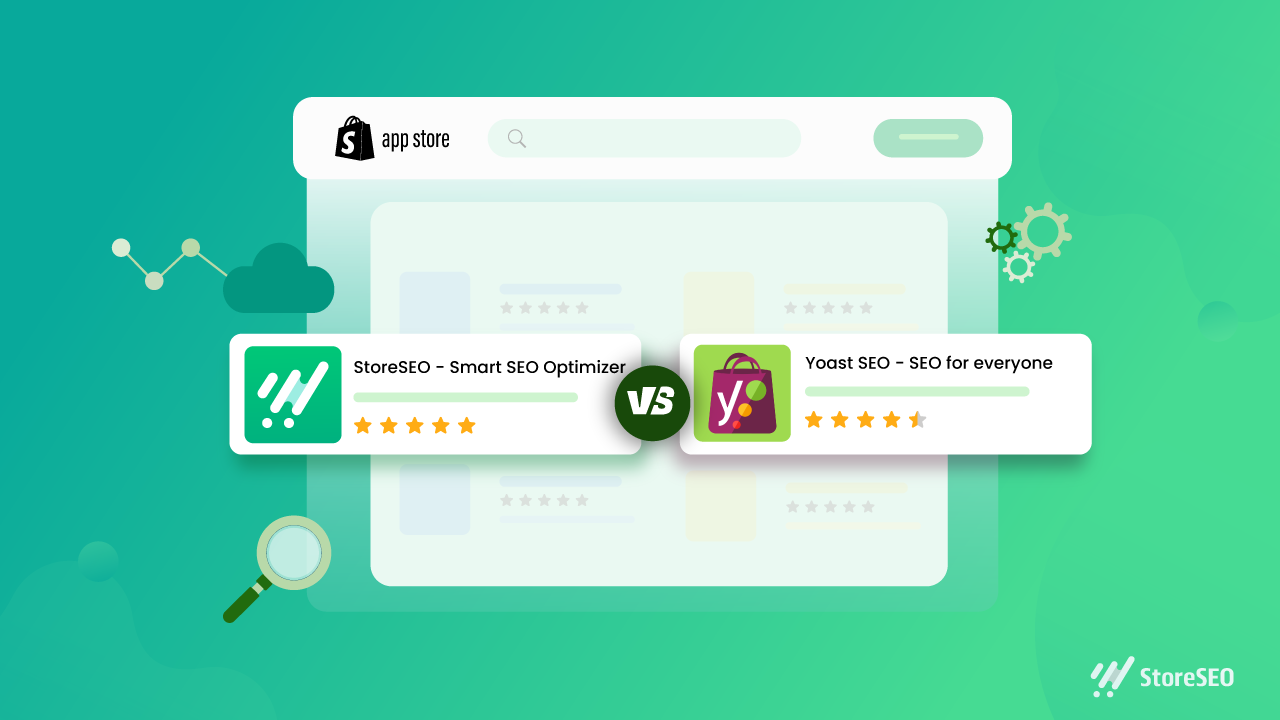
Search engine optimisation (SEO) helps potential customers discover your Shopify store through search engines. Yoast SEO for Shopify is an app designed to make some SEO tasks easier, including improving page content, editing search previews and adding structured data. It can be a useful tool, but it works best as part of a broader strategy that includes useful content, a well-organised store and a good customer experience.

What is Yoast SEO for Shopify?

Yoast SEO for Shopify is an SEO app for Shopify stores. It provides guidance while you work on pages and products, helping you review elements such as page titles, meta descriptions and content. Depending on the app’s current features and your store setup, it can also help with technical SEO and structured data.

It is separate from Yoast SEO for WordPress. Shopify already manages some technical features, such as generating an XML sitemap and creating canonical URLs for many pages. An SEO app complements Shopify’s built-in tools; it does not replace them or automatically guarantee better rankings.

What can Yoast SEO help you with?

Search titles and meta descriptions

Search titles and meta descriptions help describe a page in search results. Yoast can help you draft and review these elements. Aim to make each one accurate, distinctive and appealing to searchers. Include relevant terms naturally, but avoid repeating keywords simply to influence rankings.

Product and collection content

Product and collection pages are central to most online shops. SEO guidance can help you spot opportunities to improve their text, but the most important thing is to give customers information they actually need. Describe a product’s features, materials, sizing, uses and care instructions where relevant. For collection pages, add a concise introduction that explains what shoppers will find.

Readability

Readability checks can highlight long sentences, dense paragraphs or other aspects of copy that may be difficult to follow. Treat these checks as prompts rather than strict rules: clear, natural writing is more valuable than changing good copy just to achieve a particular score.

Structured data

Structured data gives search engines information about the content of a page. Depending on the app’s configuration, Yoast may add structured data to eligible store pages. This can help search engines interpret your products and other content, but it does not guarantee enhanced listings or special placements in search results.

How to use Yoast SEO for Shopify

  1. Install the app from the Shopify App Store. Review its current features, pricing and compatibility before installing.
  2. Check your store settings. Make sure your store name, domain and other business details are correct, and review any guidance provided during setup.
  3. Start with important pages. Prioritise key products, collections and informational pages rather than trying to optimise everything at once.
  4. Review the page title and meta description. Write a clear, accurate summary that reflects the page and gives customers a reason to visit.
  5. Improve the page content. Make descriptions distinctive and helpful. Avoid copying manufacturer text across multiple products.
  6. Check images and links. Use descriptive file names and alternative text where appropriate, and ensure important pages are linked clearly within your store.
  7. Preview and publish your changes. Check how the page appears on your storefront and, where available, in search and social previews.

Best practice for Shopify SEO

  • Do keyword research. Find out how your customers describe the products and problems you serve. Use those insights to shape pages, not to stuff them with repeated phrases.
  • Write original product copy. Helpful details can distinguish your store from competitors selling similar products.
  • Keep your site easy to navigate. Use sensible collections, clear menus and descriptive links so customers and search engines can understand your store’s structure.
  • Optimise images thoughtfully. Use relevant image names and alt text, and make sure files are not unnecessarily large, as page speed affects the shopping experience.
  • Review mobile usability. Check that product information, menus, images and checkout are easy to use on a phone.
  • Monitor performance. Use tools such as Google Search Console and Shopify analytics to track search visibility, traffic and sales. Allow time for changes to be crawled and assessed.

Things to keep in mind

An SEO app can make optimisation more manageable, but it cannot compensate for thin content, confusing navigation or products that do not meet customer needs. Automated recommendations are not always right for every page, so use your judgement and check important changes before publishing.

Also avoid installing several apps that perform the same SEO tasks. Overlapping apps can create duplicated or conflicting metadata and structured data. If you change apps or themes, review key pages afterwards to make sure titles, descriptions and other SEO elements are still working as intended.

Is Yoast SEO for Shopify worth using?

Yoast SEO for Shopify may be useful if you want guided checks and a more structured process for improving your store’s content and search presentation. Its value depends on your needs, budget and how consistently you act on its recommendations. It is not essential for every Shopify store, and installing it alone will not deliver higher rankings.

For the best results, use Yoast as a practical aid: create genuinely useful product and collection pages, keep the store technically sound, and review performance over time. A well-maintained Shopify store gives both customers and search engines a clearer understanding of what you offer.


8 Essential Tips for Optimising Shopify with Yoast SEO

  1. Install the Yoast SEO app from the Shopify App Store.
  2. Write a unique SEO title for every product and page.
  3. Keep meta descriptions clear, concise and inviting.
  4. Use your main search phrase naturally in product copy.
  5. Add descriptive alt text to product images.
  6. Use Yoast’s feedback to improve readability and SEO.
  7. Review SEO titles and descriptions before publishing.
  8. Check redirects when changing product or page URLs.

Install the Yoast SEO app from the Shopify App Store.

To get started with Yoast SEO for Shopify, install the app from the Shopify App Store. Before installing, check that it suits your store’s needs, review its current features and pricing, and confirm it’s compatible with your Shopify setup. Once installed, follow the app’s setup guidance and review its recommendations before making changes to your pages.

Write a unique SEO title for every product and page.

Write a unique SEO title for every product and page in your Shopify store so customers and search engines can quickly understand what each one offers. Include the main topic or product name naturally, and make each title specific to that page rather than reusing a generic template. A clear, accurate title can help your page stand out in search results and attract more relevant visitors.

Keep meta descriptions clear, concise and inviting.

Keep your meta descriptions clear, concise and inviting. Summarise what shoppers will find on the page, highlight a useful benefit and give them a reason to click. Write a unique description for each important product or collection page, use natural language, and avoid awkwardly packing in keywords. Search engines may choose to display different text, but a well-written description can still help your listing stand out in search results.

Use your main search phrase naturally in product copy.

Use your main search phrase naturally in your product copy so customers and search engines can quickly understand what you’re selling. Include it where it fits—such as in the product description or a relevant heading—but prioritise clear, persuasive writing over repetition. Explain the product’s features and benefits in your own words, and use related terms only when they add useful detail. Avoid keyword stuffing, which can make descriptions awkward and less helpful to shoppers.

Add descriptive alt text to product images.

Add descriptive alt text to your product images so people using screen readers can understand what each image shows, and search engines can better interpret its context. Keep the text concise and specific: describe the product and any important visible details, such as its colour, style or material. For example, “Navy blue cotton shirt with a button-down collar” is more useful than “shirt image”. If an image is purely decorative and adds no information, leave the alt text blank where your Shopify theme allows it.

Use Yoast’s feedback to improve readability and SEO.

Use Yoast’s feedback as a guide to make your Shopify content clearer and easier to read. Its suggestions can highlight long sentences, dense paragraphs and opportunities to use relevant search terms naturally. Treat the checks as helpful prompts rather than strict rules: prioritise useful, accurate copy for your customers, and avoid awkward phrasing or keyword stuffing just to improve a score.

Review SEO titles and descriptions before publishing.

Review your SEO titles and meta descriptions before publishing each Shopify page. Make sure the title clearly describes the page and includes the main search term naturally, while the description gives shoppers a concise, accurate reason to click. Keep both unique across your store, avoid keyword stuffing, and check that they read well on search results pages.

Check redirects when changing product or page URLs.

When changing a product or page URL in Shopify, set up a redirect from the old address to the new one. This helps customers who follow an existing link reach the right page and guides search engines to its updated location, reducing the risk of broken links and lost traffic. Check that the redirect works correctly after publishing, and avoid redirecting unrelated URLs to your homepage.

local seo strategy

Local SEO Strategy: A Practical Guide for UK Businesses

Local SEO Strategy: A Practical Guide for UK Businesses

When people search for a nearby service, they often want to take action quickly. Searches such as “plumber near me”, “dentist in Leeds” or “coffee shop in Bristol” can lead directly to a visit, booking or phone call. A well-planned local SEO strategy helps your business appear in relevant local search results and makes it easier for nearby customers to choose you.

Local SEO is the process of improving your online visibility for searches connected to a particular place. It involves more than adding a town name to your website. Search engines consider your business details, website content, customer reviews, local relevance and other signals when deciding which businesses to show.

Define the areas and customers you want to reach

Start by identifying the locations your business genuinely serves. A shop or restaurant may focus on the neighbourhood around its premises, while a trades business might cover several towns. Consider your service area, customer travel patterns and the locations that are commercially worthwhile.

Be specific. Listing every town in a wide region can make your marketing unfocused, and creating pages for places you do not serve may frustrate visitors. Prioritise areas where you can provide a reliable service and where there is real demand.

Optimise your Google Business Profile

Your Google Business Profile can help your business appear in Google Maps and local search results. Claim and verify the profile, then check that all information is accurate and complete.

  • Use your real-world business name, without adding unnecessary keywords.
  • Choose the most relevant primary and secondary categories.
  • Add your correct address or service area, phone number and website.
  • Set accurate opening hours, including holiday hours.
  • Describe your services and add useful photos.
  • Keep information up to date when anything changes.

Businesses that serve customers at their premises can display an eligible address. Service-area businesses that visit customers should follow Google’s guidelines and avoid showing a residential address when customers are not served there.

Keep your business details consistent

Your business name, address and phone number—often called NAP details—should be consistent across your website, business directories and social profiles. Small differences, such as an old telephone number or a previous address, can confuse customers and make it harder to verify your business information.

Make a list of the places where your business details appear online. Correct inaccurate listings and prioritise reputable directories and relevant industry platforms. Avoid submitting your details to low-quality directories simply to build a large number of listings.

Create useful, locally relevant website content

Your website should make it clear what you do, who you help and where you operate. Include location information naturally in relevant page titles, headings, copy and contact details. The aim is to help visitors and search engines understand your services—not to repeat place names unnaturally.

If you serve several locations, create a dedicated page for each important area only when you can provide genuinely useful, unique information. Include details such as the services available there, local delivery or appointment options, and how customers can get in touch. Avoid publishing numerous near-identical pages that differ only by town name.

Local content can also answer questions that matter to people in your area. For example, a building company might explain planning considerations common to local property types, while a clinic could outline how to book an appointment and what to expect. Useful content gives potential customers a reason to trust your business before they contact you.

Make your website easy to use

Many local searches happen on mobile devices, so your website should load quickly and work well on smaller screens. Make key information easy to find, including your address, telephone number, opening hours, service details and booking options.

Use clear calls to action, such as “Call to book” or “Request a quote”. Where appropriate, make telephone numbers tap-to-call and provide a simple contact form. Good usability can help turn search visibility into enquiries and visits.

Earn and respond to customer reviews

Reviews can help prospective customers understand the experience your business provides. Invite customers to leave honest feedback after a purchase or completed service, using a polite, straightforward request. Do not offer incentives in exchange for reviews, and never write or buy fake reviews.

Respond professionally to both positive and negative feedback. Thank customers for positive comments, and address concerns calmly and constructively. Avoid sharing personal or sensitive information in public replies. A thoughtful response can show that your business takes customer service seriously.

Build local links and relationships

Links from relevant, reputable local websites can help people discover your business and support your local credibility. Look for natural opportunities to contribute to your community, such as local business associations, charities, events, suppliers or industry organisations.

Focus on genuine relationships and useful contributions rather than buying links or taking part in schemes designed solely to manipulate search rankings. A mention from a respected local organisation is more valuable when it reflects a real connection.

Measure performance and improve over time

Track the outcomes that matter to your business, not just rankings. Useful measures may include:

  • Calls, enquiries, bookings and directions requests.
  • Organic visits to important service and location pages.
  • Search terms that bring relevant local visitors to your site.
  • Google Business Profile interactions and customer reviews.
  • Conversions from different locations or marketing channels.

Use tools such as Google Search Console and website analytics to understand how people find and use your site. Review the data regularly, check whether your business details remain accurate and update pages when services, locations or customer needs change.

Common local SEO mistakes to avoid

  • Adding keywords to a business name when they are not part of its real-world name.
  • Creating thin or duplicate pages for many locations.
  • Using inaccurate addresses, opening hours or service areas.
  • Buying reviews or links.
  • Focusing on rankings while ignoring calls, bookings and other business results.
  • Leaving outdated information on directories and social profiles.

Build a strategy around trust and relevance

An effective local SEO strategy brings together accurate business information, a helpful website, strong customer service and genuine local connections. Start with the essentials: define your service area, complete your Google Business Profile, check your listings and improve the pages most likely to generate enquiries.

Local SEO is an ongoing process rather than a one-off task. By monitoring results and keeping your information useful and up to date, you can make it easier for local customers to find your business—and feel confident choosing it.


Top 5 Tips for Enhancing Your Local SEO Strategy

  1. Optimise your Google Business Profile with accurate details and opening hours.
  2. Use location-specific keywords on relevant pages.
  3. Keep your business name, address and phone number consistent across directories.
  4. Encourage satisfied customers to leave honest reviews.
  5. Create useful content about local events, services and community needs.

Optimise your Google Business Profile with accurate details and opening hours.

Keep your Google Business Profile accurate and up to date so local customers can find and contact you with confidence. Check that your business name, address, phone number, website and services are correct, and make sure your opening hours reflect when you’re genuinely available—including any changes for bank holidays or seasonal closures. Clear, reliable details help prevent missed visits and calls, while giving searchers a better reason to choose your business.

Use location-specific keywords on relevant pages.

Use location-specific keywords on the pages where they’re genuinely relevant, such as “accountant in Manchester” on your Manchester services page. Include local terms naturally in page titles, headings and useful copy, rather than repeating them unnaturally. This helps search engines understand where you operate and helps potential customers quickly see whether you serve their area. If you cover several locations, create individual pages only when each can offer genuinely useful, distinct information.

Keep your business name, address and phone number consistent across directories.

Keep your business name, address and phone number consistent across online directories, your website and social media profiles. Even small differences—such as an outdated phone number or inconsistent address format—can confuse potential customers and make it harder for search engines to verify your business details. Check your listings regularly and update them whenever your information changes.

Encourage satisfied customers to leave honest reviews.

Encourage satisfied customers to share honest feedback by asking them after a positive experience, such as once a job is complete or a purchase has been made. Make it easy by sending a direct link to your review profile, but never pressure customers or offer rewards in exchange for reviews. Respond courteously to feedback—positive or negative—to show that you value your customers and take their comments seriously.

Create useful content about local events, services and community needs.

Create useful content that reflects what matters to people in your area. Share updates about local events, explain how your services meet community needs, or answer questions residents commonly ask. Keep information accurate and genuinely helpful, rather than adding place names simply to attract search traffic. This approach can strengthen your connection with the community while helping local customers discover your business.

local seo ranking

Local SEO Ranking: How to Improve Your Visibility in Local Search Results

Local SEO Ranking: How to Improve Your Visibility in Local Search

When someone searches for a nearby service, such as “plumber near me” or “dentist in Manchester”, search engines aim to show useful local options. Appearing prominently in these results can help a business reach nearby customers at the moment they are looking to take action.

Local SEO is the process of improving a business’s visibility in location-based search results. These can include the local map results, often called the local pack, as well as standard organic listings. There is no single change that guarantees a top position, but consistent, relevant information and a strong online reputation can help improve your chances.

How local search rankings work

Google says local results are mainly based on three factors: relevance, distance and prominence.

  • Relevance refers to how closely a business matches what the person is searching for.
  • Distance considers how far the business is from the searcher or the location included in the search.
  • Prominence reflects how well-known and established a business appears to be, based on information Google can find online and elsewhere.

These factors can interact. A business may rank differently depending on the searcher’s location, the wording of the search and the level of competition nearby. That is why local SEO is an ongoing effort rather than a one-off task.

Optimise your Google Business Profile

A complete and accurate Google Business Profile is an important starting point for many local businesses. Check that your business name, address, phone number, website and opening hours are correct. Choose the most suitable primary category and add relevant additional categories where appropriate.

Describe your services clearly and keep details such as holiday opening hours up to date. Add genuine, high-quality photographs that help customers understand what you offer. If your profile includes features such as services, products, appointment links or questions and answers, use the ones that are relevant to your business.

Follow Google’s guidelines when creating or updating your profile. For example, use your real-world business name rather than adding extra keywords, and do not create multiple profiles for the same eligible location.

Make your website useful for local customers

Your website should make it easy for both visitors and search engines to understand what you do and where you operate. Include your business’s contact details and service information in clear, accessible places. Ensure the details match those on your Business Profile and other important listings.

If you serve several areas, create location pages only where they provide genuinely useful information. Each page should explain the services available in that area and offer relevant details, rather than simply swapping the place name in an otherwise identical block of text. Avoid creating thin or repetitive pages solely to target more locations.

It also helps to make sure your site works well on mobile devices, loads reliably and has clear navigation. Many local searches happen on phones, where people may want to call, request directions or make an appointment quickly.

Keep business information consistent

Business details are often described as NAP: name, address and phone number. Check that these details are accurate across your website, business directories, professional associations and social profiles. Small variations may be harmless in some cases, but outdated addresses or incorrect phone numbers can confuse potential customers.

Focus on reputable, relevant listings rather than submitting your details to every directory available. If your business moves or changes its phone number, update the most important profiles and directories promptly.

Earn and respond to customer reviews

Reviews help potential customers assess a business, and they can contribute to its online prominence. Make it easy for satisfied customers to leave an honest review by sharing a review link after a completed job or visit. Do not buy reviews, offer rewards in exchange for positive feedback or pressure customers to leave a particular rating.

Respond to reviews in a professional and considered way. Thank customers for positive feedback and address concerns without sharing private information. A thoughtful response can show that the business takes customer experience seriously.

Build local relevance and reputation

Useful local content can demonstrate your knowledge of the areas and customers you serve. Depending on your business, this might include practical guides, project examples, event information or answers to common local questions. The aim should be to help readers, not to repeat location keywords unnaturally.

Links and mentions from trusted local organisations can also support your online presence. Consider relevant opportunities such as local news coverage, business associations, community partnerships or professional directories. The value comes from genuine relevance and trust, not from collecting as many links as possible.

Measure local SEO performance

Track progress using more than a single ranking position. Local results can vary by searcher location, device and query, so one manual search will not show the full picture. Useful measures include:

  • Website visits from organic search
  • Calls, direction requests and website clicks from your Business Profile
  • Enquiries, bookings or sales from local landing pages
  • Review volume, quality and response activity
  • Visibility for relevant local searches across the areas you serve

Google Search Console and Google Business Profile performance data can help you understand how people discover and interact with your business. Use these insights to identify gaps, update inaccurate information and improve pages that are not meeting customer needs.

Common local SEO mistakes to avoid

  • Adding keywords or locations to a business name when they are not part of its real-world name
  • Creating duplicate or ineligible Business Profiles
  • Publishing near-identical pages for many towns or postcodes
  • Using inaccurate addresses, phone numbers or opening hours
  • Buying reviews or links
  • Focusing only on rankings instead of calls, enquiries and other meaningful outcomes

Build a steady local SEO strategy

Improving local SEO rankings starts with accurate business information, a well-maintained Google Business Profile and a website that clearly explains your services. Add a trustworthy reputation, useful local content and consistent measurement, then review your results regularly.

Local visibility can take time to improve, and no ethical SEO provider can guarantee a particular position. However, a clear, customer-focused approach can make your business easier to find and choose when people nearby are searching for what you offer.


7 Essential Tips to Boost Your Local SEO Rankings

  1. Keep your Google Business Profile accurate and complete.
  2. Use consistent business details across online directories.
  3. Add your town or area naturally to key website pages.
  4. Ask satisfied customers for honest reviews.
  5. Reply promptly to reviews and customer questions.
  6. Create useful pages for the areas you serve.
  7. Keep your website mobile-friendly and quick to load.

Keep your Google Business Profile accurate and complete.

Keep your Google Business Profile accurate and complete so customers can quickly find reliable information about your business. Check that your name, address, phone number, website, opening hours and service details are up to date, and choose the most relevant business categories. Add useful photos and update special hours or other changes promptly. A well-maintained profile helps search engines understand what you offer and where you operate, while making it easier for local customers to contact or visit you.

Use consistent business details across online directories.

Keep your business name, address and phone number consistent across online directories, your website and your Google Business Profile. Accurate, matching details help customers contact or visit you and make it easier for search engines to verify your business information. Review your listings regularly, update any changes promptly and prioritise reputable directories that are relevant to your business and location.

Add your town or area naturally to key website pages.

Include your town or service area naturally on key website pages, such as your homepage, contact page and relevant service pages. This helps visitors and search engines understand where you operate. Add location details where they’re genuinely useful—for example, describe the areas you cover or mention a local project—rather than repeating place names unnaturally or creating pages with little unique value.

Ask satisfied customers for honest reviews.

Ask satisfied customers to share an honest review of their experience. Reviews can help potential customers decide whether to choose your business and contribute to your online reputation. Make it easy by sharing a direct review link after a purchase or completed service, but never offer incentives for positive feedback or pressure customers to leave a particular rating. Respond to reviews professionally, thanking customers for their feedback and addressing any concerns appropriately.

Reply promptly to reviews and customer questions.

Reply promptly to reviews and customer questions to show that your business is attentive, trustworthy and engaged with its customers. Thank people for positive feedback, and respond to concerns politely and constructively without sharing private information. Timely, helpful replies can strengthen your reputation, encourage potential customers to choose your business and support a positive local presence.

Create useful pages for the areas you serve.

Create useful pages for the areas you serve by explaining which services are available locally and what customers can expect. Include genuinely relevant details, such as local projects, service coverage, travel arrangements or answers to common questions. Make each page distinct and helpful rather than creating near-identical pages that only swap one place name for another. This gives visitors useful information and helps search engines understand where your business operates.

Keep your website mobile-friendly and quick to load.

Keep your website mobile-friendly and quick to load so local customers can find what they need without frustration. Make sure pages display clearly on smaller screens, buttons and contact details are easy to use, and visitors can quickly call, get directions or make an enquiry. Compressing images, limiting unnecessary scripts and choosing reliable hosting can help pages load faster. A smooth mobile experience makes it easier for people to engage with your business and supports a stronger overall local SEO strategy.

free keyword ranking tool

Unlock Your SEO Potential with a Free Keyword Ranking Tool

The Power of Free Keyword Ranking Tools in SEO

The Power of Free Keyword Ranking Tools in SEO

Keywords are the backbone of any successful SEO strategy. Understanding how your website ranks for specific keywords is crucial for improving your online visibility and driving organic traffic. This is where free keyword ranking tools come into play, offering valuable insights without breaking the bank.

What Are Free Keyword Ranking Tools?

Free keyword ranking tools are online resources that allow website owners and digital marketers to track the position of their website for specific keywords on search engine results pages (SERPs). These tools provide data on keyword rankings, search volume, competition level, and more, helping users make informed decisions to optimise their SEO efforts.

The Benefits of Using Free Keyword Ranking Tools

Insightful Data: Free keyword ranking tools provide valuable data on how your website performs for different keywords. This information helps you identify high-performing keywords to focus on and low-ranking keywords that need improvement.

Competitor Analysis: Many free keyword ranking tools offer insights into how your competitors are ranking for similar keywords. This competitive analysis can guide your SEO strategy and help you stay ahead in the digital landscape.

Monitoring Progress: By regularly tracking your keyword rankings with free tools, you can monitor the progress of your SEO efforts over time. This allows you to identify trends, measure success, and make necessary adjustments to improve your website’s performance.

Popular Free Keyword Ranking Tools

There are several free keyword ranking tools available online that cater to different needs and preferences. Some popular options include:

  • Google Search Console: A free tool by Google that provides insights into how your site appears in search results and which keywords drive traffic to your site.
  • Keyword Surfer: A browser extension that shows estimated global and monthly search volumes directly in Google search results.
  • SERPWatcher: Offers a limited free plan for tracking keyword positions and monitoring SERP features.

In Conclusion

Free keyword ranking tools are invaluable assets for anyone looking to improve their website’s visibility and performance in search engine results. By leveraging these tools effectively, you can gain a competitive edge, attract more organic traffic, and ultimately achieve success in the ever-evolving world of SEO.


Top 5 Tips for Selecting and Using a Free Keyword Ranking Tool Effectively

  1. Choose a free keyword ranking tool that provides accurate and up-to-date data.
  2. Look for a tool that offers insights into your website’s performance for specific keywords.
  3. Consider the user interface and ease of use when selecting a keyword ranking tool.
  4. Compare different tools to find one that best suits your needs and preferences.
  5. Regularly monitor your keyword rankings and adjust your SEO strategy accordingly.

Choose a free keyword ranking tool that provides accurate and up-to-date data.

When selecting a free keyword ranking tool, it is essential to opt for one that offers accurate and up-to-date data. Reliable data is crucial for making informed decisions about your SEO strategy. By choosing a tool that provides precise information on keyword rankings, search volume, and competition levels, you can effectively track your website’s performance and make necessary adjustments to enhance your online visibility. Accuracy and timeliness in data are key factors in maximising the effectiveness of your SEO efforts and staying ahead in the competitive digital landscape.

Look for a tool that offers insights into your website’s performance for specific keywords.

When selecting a free keyword ranking tool, it is essential to prioritise those that provide detailed insights into your website’s performance for specific keywords. By choosing a tool that offers this level of granularity, you can gain a deeper understanding of how your website ranks for targeted keywords, identify areas for improvement, and refine your SEO strategy effectively. These insights empower you to make informed decisions that drive organic traffic and enhance your online visibility in a competitive digital landscape.

Consider the user interface and ease of use when selecting a keyword ranking tool.

When choosing a free keyword ranking tool, it is essential to consider the user interface and ease of use. A tool with a well-designed user interface and intuitive navigation can significantly impact your experience in tracking keyword rankings effectively. A user-friendly tool makes it easier to access and interpret data, saving time and effort in managing your SEO strategy. Prioritising tools that are easy to navigate and understand can streamline your keyword analysis process and enhance the overall efficiency of your SEO efforts.

Compare different tools to find one that best suits your needs and preferences.

When utilising a free keyword ranking tool, it is advisable to compare various options to determine the one that aligns most closely with your specific requirements and preferences. By evaluating different tools based on factors such as functionality, user interface, data accuracy, and additional features, you can select a tool that best suits your SEO objectives. Conducting this comparison ensures that you leverage a free keyword ranking tool that not only meets your immediate needs but also enhances the effectiveness of your overall search engine optimisation strategy.

Regularly monitor your keyword rankings and adjust your SEO strategy accordingly.

Regularly monitoring your keyword rankings using a free keyword ranking tool is essential for maintaining a successful SEO strategy. By keeping track of how your website performs for specific keywords, you can identify trends, measure progress, and pinpoint areas that require improvement. This data-driven approach allows you to make informed decisions and adjust your SEO tactics accordingly to stay competitive in the ever-changing digital landscape. Consistent monitoring and strategic adjustments based on keyword ranking insights can help you maximise your online visibility and drive organic traffic to your website effectively.

Unlocking the Potential of GSC SEO: Elevate Your Website’s Performance

The Power of GSC SEO: Leveraging Google Search Console for Effective Website Optimisation

The Power of GSC SEO: Leveraging Google Search Console for Effective Website Optimisation

In the realm of digital marketing, search engine optimisation (SEO) plays a crucial role in improving a website’s visibility and driving organic traffic. One powerful tool that webmasters and SEO professionals can utilise to enhance their SEO efforts is Google Search Console (GSC).

What is GSC SEO?

Google Search Console, formerly known as Google Webmaster Tools, is a free service provided by Google that helps website owners monitor, maintain, and troubleshoot their site’s presence in Google search results. GSC offers valuable insights into how Google views your website, identifies issues that may affect your site’s performance in search results, and provides data on organic search traffic.

Key Features of GSC SEO:

  • Performance Reports: GSC provides detailed reports on your website’s performance in Google Search results, including clicks, impressions, click-through rates, and average position.
  • Index Coverage: This feature shows you which pages of your site are indexed by Google and highlights any indexing issues that need attention.
  • Mobile Usability: GSC helps you identify mobile usability issues on your site that could impact your rankings on mobile search results.
  • URL Inspection: You can use this tool to inspect individual URLs on your site to check for indexing status and any crawling or indexing errors.

Benefits of Using GSC for SEO:

By leveraging the power of Google Search Console for SEO purposes, website owners can:

  • Identify and Fix Issues: GSC helps you identify technical issues such as crawl errors, security issues, or mobile usability problems that may be hindering your site’s performance in search results.
  • Optimise Content: By analysing search queries that drive traffic to your site and monitoring click-through rates, you can fine-tune your content strategy to better align with user intent.
  • Track Performance: With detailed performance reports, you can track the impact of your SEO efforts over time and make data-driven decisions to improve your site’s visibility.
  • Audit Backlinks: GSC allows you to monitor backlinks pointing to your site and disavow any spammy or low-quality links that could harm your rankings.

In Conclusion

In conclusion, Google Search Console is a powerful tool that provides invaluable insights into the health and performance of your website from an SEO perspective. By regularly monitoring and optimising your site using GSC data, you can enhance its visibility in search results, attract more organic traffic, and ultimately achieve better online success.


Maximising Website Performance: 9 Benefits of Using Google Search Console for SEO

  1. Free to use for website owners
  2. Provides valuable insights into website performance in Google search results
  3. Helps identify and resolve technical issues that may impact SEO
  4. Allows monitoring of organic search traffic data
  5. Offers detailed reports on clicks, impressions, and average position in search results
  6. Enables tracking of mobile usability issues for better user experience
  7. Facilitates URL inspection to check indexing status and errors
  8. Assists in optimising content based on search queries and click-through rates
  9. Allows monitoring and managing backlinks pointing to the website


7 Drawbacks of Google Search Console for SEO: Navigating Limitations and Complexities

  1. Limited historical data available for analysis compared to other SEO tools.
  2. Data discrepancies may occur between Google Analytics and Google Search Console metrics.
  3. Some features, such as the removals tool, can be complex to use for beginners.
  4. Not all website errors are reported in real-time, leading to potential delays in identifying issues.
  5. The user interface can be overwhelming for those unfamiliar with technical SEO concepts.
  6. Certain advanced features require a deeper understanding of SEO principles to fully utilise effectively.
  7. GSC may not provide detailed insights into competitor performance or keyword rankings.

Free to use for website owners

One significant advantage of GSC SEO is its accessibility to website owners at no cost. Google Search Console offers a valuable set of tools and insights that can be utilised by website owners without any financial investment. This means that businesses and individuals can leverage the power of GSC to monitor, optimise, and troubleshoot their websites’ performance in Google search results without incurring additional expenses. The free-to-use nature of GSC makes it an invaluable resource for enhancing SEO strategies and improving online visibility without breaking the bank.

Provides valuable insights into website performance in Google search results

Google Search Console (GSC) SEO offers a significant advantage by providing valuable insights into a website’s performance within Google search results. By utilising GSC, website owners can gain a deeper understanding of how their site is perceived by Google, including metrics such as clicks, impressions, click-through rates, and average position. This data empowers webmasters to identify strengths and weaknesses in their SEO strategy, allowing them to make informed decisions to enhance their site’s visibility and effectiveness in organic search rankings.

Helps identify and resolve technical issues that may impact SEO

One significant advantage of utilising Google Search Console (GSC) for SEO is its capability to help identify and resolve technical issues that could potentially impact a website’s search engine optimisation efforts. By leveraging the insights provided by GSC, website owners can pinpoint issues such as crawl errors, security vulnerabilities, or mobile usability problems that may hinder their site’s performance in search results. Addressing these technical issues promptly through GSC not only ensures a smoother user experience but also enhances the overall SEO health of the website, ultimately leading to improved visibility and rankings on search engines.

Allows monitoring of organic search traffic data

One significant advantage of utilising Google Search Console for SEO is its capability to enable the monitoring of organic search traffic data. By accessing detailed insights on the volume of organic traffic directed to a website, webmasters and SEO professionals can gain a deeper understanding of user behaviour, popular search queries, and the effectiveness of their SEO strategies. This data empowers them to make informed decisions, refine content strategies, and optimise website performance to attract more relevant organic traffic and improve overall search visibility.

Offers detailed reports on clicks, impressions, and average position in search results

One notable advantage of utilising Google Search Console for SEO is its ability to provide comprehensive reports on essential metrics such as clicks, impressions, and average position in search results. By offering detailed insights into how users interact with your website in Google search, GSC enables webmasters and SEO professionals to assess the effectiveness of their strategies and make informed decisions to improve their site’s performance. Understanding these key data points allows for targeted optimisation efforts that can enhance visibility, increase click-through rates, and ultimately drive organic traffic to the website.

Enables tracking of mobile usability issues for better user experience

Google Search Console’s capability to enable tracking of mobile usability issues is a significant advantage for website owners seeking to enhance user experience. With the increasing prevalence of mobile device usage, ensuring that a website is optimised for mobile users is crucial. By utilising GSC to identify and address mobile usability issues, webmasters can create a more seamless and responsive browsing experience for visitors accessing their site on smartphones or tablets. This proactive approach not only improves user satisfaction but also contributes to better search engine rankings, ultimately driving more organic traffic to the site.

Facilitates URL inspection to check indexing status and errors

One significant benefit of utilising Google Search Console for SEO is its capability to facilitate URL inspection, allowing webmasters to easily check the indexing status and identify any errors associated with specific URLs on their website. This feature empowers website owners to pinpoint and rectify any indexing issues promptly, ensuring that their content is properly crawled and indexed by Google for optimal visibility in search results. By leveraging URL inspection within GSC, webmasters can maintain a well-optimised site that adheres to best SEO practices and enhances overall search engine performance.

Assists in optimising content based on search queries and click-through rates

Google Search Console (GSC) proves to be an invaluable asset in the realm of SEO by aiding website owners in optimising their content effectively. By analysing search queries that drive traffic to the site and monitoring click-through rates, GSC provides valuable insights that enable webmasters to tailor their content strategy to better align with user intent. This proactive approach ensures that content is not only relevant but also resonates with the target audience, ultimately leading to improved visibility and engagement on search engine results pages.

One significant advantage of utilising Google Search Console for SEO is its capability to enable monitoring and managing backlinks that direct to the website. By leveraging this feature, website owners can gain valuable insights into the quality and quantity of backlinks pointing to their site. This allows them to identify potentially harmful or spammy links and take necessary actions, such as disavowing those links, to safeguard their site’s search engine rankings and overall online reputation. Effectively managing backlinks through GSC contributes to a healthier link profile, enhances the site’s authority, and improves its visibility in search results.

Limited historical data available for analysis compared to other SEO tools.

One notable drawback of utilising Google Search Console (GSC) for SEO purposes is the limitation in historical data availability for in-depth analysis when compared to other comprehensive SEO tools. Due to the nature of GSC’s data retention policy, users may find it challenging to access extensive historical performance data over extended periods, which can hinder the ability to track long-term trends and make informed strategic decisions based on historical insights. This limitation underscores the importance of supplementing GSC data with other SEO tools that offer robust historical data tracking capabilities for a more comprehensive and insightful approach to website optimisation.

Data discrepancies may occur between Google Analytics and Google Search Console metrics.

One notable drawback of utilising Google Search Console (GSC) for SEO is the potential occurrence of data discrepancies between the metrics provided by GSC and those in Google Analytics. This inconsistency in data can lead to challenges in accurately assessing website performance and making informed decisions based on the insights gathered. Discrepancies between the two platforms may arise due to differences in data collection methods, processing algorithms, and attribution models, creating a level of uncertainty when analysing and interpreting website data for SEO optimisation purposes. It is essential for webmasters and SEO professionals to be aware of these discrepancies and take them into consideration when leveraging GSC data for their digital marketing strategies.

Some features, such as the removals tool, can be complex to use for beginners.

For beginners, utilising certain features of Google Search Console (GSC) like the removals tool can present a challenge due to their complexity. The removals tool, designed to help webmasters temporarily hide specific content from Google search results, may require a steep learning curve for those new to SEO practices. Navigating through the intricacies of this tool can be daunting, potentially leading to confusion and missteps in the process of managing website content visibility. As such, beginners may find themselves overwhelmed by the technicalities involved in leveraging this particular feature within GSC for effective search engine optimisation.

Not all website errors are reported in real-time, leading to potential delays in identifying issues.

One significant drawback of utilising Google Search Console for SEO is that not all website errors are reported in real-time. This limitation can result in potential delays in identifying critical issues affecting the site’s performance. As a result, webmasters and SEO professionals may not promptly address emerging problems, leading to prolonged periods of reduced visibility and potential negative impacts on search rankings. It is essential for users of GSC to supplement its data with regular manual checks to ensure timely detection and resolution of website issues for optimal SEO performance.

The user interface can be overwhelming for those unfamiliar with technical SEO concepts.

For individuals who are not well-versed in technical SEO concepts, one significant drawback of using Google Search Console (GSC) is the potentially overwhelming user interface. GSC provides a wealth of data and features that may be challenging to navigate for beginners or those unfamiliar with the intricacies of SEO. The abundance of technical terms and metrics within GSC can be daunting, making it difficult for users to interpret the data effectively and utilise it to improve their website’s performance in search results. This complexity can deter some users from fully harnessing the benefits of GSC for their SEO efforts, highlighting the need for additional guidance and resources to help simplify the interface for a broader audience.

Certain advanced features require a deeper understanding of SEO principles to fully utilise effectively.

One drawback of utilising Google Search Console (GSC) for SEO is that certain advanced features within the tool may necessitate a more profound comprehension of SEO principles to maximise their effectiveness. To fully leverage these advanced functionalities, users must possess a comprehensive understanding of search engine optimisation techniques and strategies. Without a solid grasp of SEO principles, users may struggle to interpret and implement the insights provided by these advanced features, potentially limiting the tool’s overall utility in enhancing website optimisation efforts.

GSC may not provide detailed insights into competitor performance or keyword rankings.

One limitation of Google Search Console (GSC) for SEO is its inability to offer comprehensive insights into competitor performance or detailed keyword rankings. While GSC excels in providing data about a website’s own performance and search visibility on Google, it falls short when it comes to offering a comparative analysis with competitors or in-depth information on how specific keywords are performing across the search landscape. This lack of competitor and keyword ranking data may hinder a website owner’s ability to fully understand the competitive landscape and make informed decisions to improve their SEO strategy.

find keyword ranking

Discover How to Find Keyword Ranking for Your Website in the UK

Article: Find Keyword Ranking

Finding Keyword Ranking: A Guide to Tracking Your SEO Performance

Keywords are the foundation of any successful SEO strategy. Knowing where your website ranks for specific keywords is crucial in understanding your online visibility and performance. Monitoring keyword ranking allows you to assess the effectiveness of your SEO efforts and make informed decisions to improve your search engine presence.

Tools for Tracking Keyword Ranking

There are various tools available that can help you track keyword ranking effectively. Popular tools like SEMrush, Ahrefs, Moz, and Google Search Console provide valuable insights into how your website is performing for specific keywords. These tools offer features such as keyword position tracking, search volume data, and competitor analysis.

Steps to Find Keyword Ranking

  1. Select Relevant Keywords: Identify the keywords that are important for your business and target audience.
  2. Use a Keyword Tracking Tool: Choose a reliable keyword tracking tool and enter the selected keywords to monitor their rankings.
  3. Analyse Results: Regularly review the ranking data to understand trends, identify improvements or declines, and adjust your SEO strategy accordingly.
  4. Monitor Competitors: Keep an eye on how your competitors are ranking for similar keywords to stay competitive in the search results.
  5. Optimise Content: Use the insights from keyword ranking data to optimise your website content for better search engine visibility.

Benefits of Tracking Keyword Ranking

By monitoring keyword ranking, you can:

  • Determine which keywords drive traffic to your site
  • Evaluate the impact of SEO changes on keyword performance
  • Identify new keyword opportunities
  • Maintain a competitive edge in search results

In conclusion, tracking keyword ranking is essential for any business looking to improve its online presence and drive organic traffic. By using the right tools and following best practices, you can gain valuable insights into your SEO performance and make data-driven decisions to enhance your website’s visibility in search engines.


Top 9 Frequently Asked Questions About Finding Keyword Rankings

  1. Are there any free keyword ranking tools?
  2. How do I see keyword rankings in Google Analytics?
  3. How do I find the top keywords for my website?
  4. How to rank for a specific keyword?
  5. What is keyword rank tracker?
  6. How to check site ranking?
  7. How do I manually rank a keyword?
  8. Can you guarantee keyword ranking?
  9. How to check SEO ranking?

Are there any free keyword ranking tools?

When it comes to finding keyword ranking, one common question that arises is, “Are there any free keyword ranking tools available?” While many SEO tools offer robust features for tracking keyword performance, some free options can also provide valuable insights into your website’s ranking for specific keywords. Tools like Google Search Console and Ubersuggest offer basic keyword tracking functionalities at no cost, allowing website owners to monitor their keyword positions and make informed decisions about their SEO strategies. While free tools may have limitations compared to premium options, they can still be a useful starting point for those looking to track their keyword ranking without investing in paid tools.

How do I see keyword rankings in Google Analytics?

To see keyword rankings in Google Analytics, it’s important to note that Google Analytics does not provide direct access to keyword ranking data. While Google Analytics offers valuable insights into website traffic and user behaviour, tracking keyword rankings specifically requires the use of dedicated SEO tools or platforms. Tools like SEMrush, Ahrefs, and Moz are commonly used to monitor keyword rankings by analysing search engine results pages (SERPs) and providing data on where your website ranks for specific keywords. Integrating these SEO tools with Google Analytics can offer a comprehensive view of your website’s performance in terms of keyword visibility and search engine optimisation efforts.

How do I find the top keywords for my website?

To discover the top keywords for your website, start by conducting thorough keyword research using tools like SEMrush, Ahrefs, or Google Keyword Planner. Identify relevant keywords that align with your business niche, target audience, and search intent. Analyse search volume, competition level, and keyword difficulty to prioritise high-performing keywords. Consider long-tail keywords for specific targeting and low competition. Regularly monitor keyword ranking to track performance and make informed decisions to optimise your website content for improved search engine visibility. Remember that finding the top keywords is an ongoing process that requires strategic analysis and adaptation to stay ahead in the competitive online landscape.

How to rank for a specific keyword?

Ranking for a specific keyword requires a strategic approach that combines thorough keyword research, high-quality content creation, and effective on-page and off-page SEO tactics. To rank for a specific keyword, start by selecting relevant keywords that align with your business goals and target audience. Then, optimise your website content by incorporating the chosen keyword naturally into titles, headings, meta descriptions, and body copy. Focus on creating valuable and engaging content that addresses the search intent behind the keyword. Additionally, build quality backlinks from reputable websites to enhance your site’s authority in the eyes of search engines. Regularly monitor your keyword ranking using tools like SEMrush or Ahrefs to track progress and make necessary adjustments to improve your ranking position over time.

What is keyword rank tracker?

A keyword rank tracker is a valuable tool used in search engine optimisation to monitor and analyse the positions of specific keywords in search engine results pages (SERPs). This tool allows website owners and digital marketers to track the performance of their chosen keywords over time, providing insights into how well their website is ranking for those terms. By using a keyword rank tracker, businesses can assess the effectiveness of their SEO strategies, identify areas for improvement, and make data-driven decisions to enhance their online visibility and organic traffic.

How to check site ranking?

To check your site ranking, you can use various online tools such as SEMrush, Ahrefs, Moz, or Google Search Console. These tools allow you to enter your website URL and relevant keywords to track your site’s position in search engine results pages (SERPs). By regularly monitoring your site ranking, you can assess the effectiveness of your SEO efforts, identify areas for improvement, and make informed decisions to enhance your website’s visibility and performance in search engine rankings.

How do I manually rank a keyword?

To manually rank a keyword, start by conducting thorough keyword research to identify relevant terms for your business. Once you have selected a target keyword, optimise your website content by including the keyword in strategic locations such as the title tag, meta description, headers, and body text. Create high-quality and informative content that naturally incorporates the keyword while providing value to users. Additionally, focus on building backlinks from reputable websites to improve your site’s authority and relevance for the keyword. Regularly monitor your keyword ranking using tools like Google Search Console and adjust your SEO strategy based on performance data to enhance your chances of ranking higher in search engine results pages.

Can you guarantee keyword ranking?

When it comes to the frequently asked question of whether keyword ranking can be guaranteed, it’s important to understand that SEO is a dynamic and complex process influenced by various factors. While reputable SEO professionals can employ strategies to improve keyword ranking, no one can guarantee specific ranking positions due to the ever-changing nature of search algorithms, competition, and user behaviour. Instead of promising guaranteed rankings, a reliable SEO service provider will focus on implementing best practices, monitoring performance, and adapting strategies to enhance overall search visibility and organic traffic.

How to check SEO ranking?

To check your SEO ranking, you can use various tools and methods to assess where your website stands in search engine results pages for specific keywords. One common approach is to utilise online tools like SEMrush, Ahrefs, or Google Search Console, which provide insights into keyword positions, search volume data, and competitor analysis. By entering your targeted keywords into these tools, you can track your website’s performance over time and identify areas for improvement in your SEO strategy. Regularly monitoring your SEO ranking allows you to make informed decisions to enhance your online visibility and drive organic traffic to your site.

javascript seo

Mastering JavaScript SEO: Elevating Your Website’s Visibility

JavaScript SEO: Enhancing Your Website’s Visibility

JavaScript SEO: Enhancing Your Website’s Visibility

In the realm of Search Engine Optimization (SEO), JavaScript plays a crucial role in determining how search engines crawl and index your website. Understanding the impact of JavaScript on SEO is essential for ensuring that your website ranks well in search engine results pages (SERPs).

The Importance of JavaScript in SEO

JavaScript is a powerful scripting language commonly used to create interactive and dynamic elements on websites. However, search engine bots historically had difficulty crawling and indexing JavaScript-rendered content, which could negatively impact a site’s SEO performance.

With advancements in technology, search engines like Google have made significant progress in understanding and processing JavaScript. This development has opened up new opportunities for websites to leverage JavaScript while maintaining strong SEO practices.

Best Practices for JavaScript SEO

Optimising your website for JavaScript SEO involves implementing best practices to ensure that search engines can effectively crawl and index your content. Here are some key strategies:

  • Use Server-Side Rendering (SSR): Implementing SSR allows search engines to access pre-rendered HTML content, improving crawlability and indexability.
  • Implement Lazy Loading: Lazy loading images and other resources can help improve page speed performance, a crucial factor in SEO rankings.
  • Avoid Infinite Scroll: If your website features infinite scroll functionality, ensure that individual scrollable sections have unique URLs for proper indexing.
  • Create an XML Sitemap: Include all relevant URLs, including those generated by JavaScript, in your XML sitemap to facilitate easier indexing.
  • Monitor Site Performance: Regularly monitor how search engine bots interact with your JavaScript-rendered content using tools like Google Search Console.

The Future of JavaScript SEO

As search engines continue to evolve, the importance of JavaScript in SEO will only grow. Web developers and SEO professionals must stay abreast of these changes and adapt their strategies accordingly to ensure optimal visibility in SERPs.

In conclusion, mastering JavaScript SEO is essential for maximising the visibility and reach of your website. By following best practices and staying informed about industry trends, you can enhance your site’s performance in organic search results.


Top 8 FAQs About JavaScript and SEO: Optimising, Crawling, and Frameworks

  1. Which JavaScript framework is best for SEO?
  2. Does Google crawl JavaScript?
  3. Can Google crawl JavaScript links?
  4. How to optimize JavaScript for SEO?
  5. Can search engines read JavaScript?
  6. Which JS framework is best for SEO?
  7. Does JavaScript help SEO?
  8. Does Google run JavaScript in SEO?

Which JavaScript framework is best for SEO?

When considering the impact of JavaScript frameworks on SEO, the question of which framework is best for SEO often arises. While there is no definitive answer to this question, some JavaScript frameworks, such as React and Angular, have features that can either positively or negatively influence SEO performance. Factors like server-side rendering capabilities, ease of implementation for lazy loading and meta tags, and overall performance impact on page speed should be considered when selecting a JavaScript framework with SEO in mind. Ultimately, choosing the best JavaScript framework for SEO depends on the specific requirements of your website and how well the framework aligns with your SEO goals and strategies.

Does Google crawl JavaScript?

The frequently asked question, “Does Google crawl JavaScript?” is a common inquiry among website owners and SEO practitioners seeking to understand the impact of JavaScript on search engine crawling. In recent years, Google has made significant advancements in its ability to crawl and index JavaScript-rendered content. While Google can now execute and interpret JavaScript to a certain extent, it is essential for website owners to implement best practices in JavaScript SEO to ensure optimal visibility in search engine results pages (SERPs). By staying informed about Google’s capabilities in crawling JavaScript and following recommended strategies, website owners can enhance their site’s chances of being effectively indexed and ranked by the search engine giant.

When it comes to the frequently asked question, “Can Google crawl JavaScript links?” the answer lies in Google’s evolving ability to understand and process JavaScript content. While Google has made significant advancements in crawling and indexing JavaScript-rendered links, it is essential to ensure that these links are implemented in a search engine-friendly manner. Utilising best practices such as server-side rendering and providing clear HTML fallbacks for JavaScript links can help optimise their crawlability and visibility to search engines like Google. Staying informed about the latest developments in JavaScript SEO is crucial for ensuring that your website’s links are effectively crawled and indexed for improved search engine performance.

How to optimize JavaScript for SEO?

Optimising JavaScript for SEO requires a strategic approach to ensure that search engines can effectively crawl and index your website’s content. To optimise JavaScript for SEO, consider implementing server-side rendering (SSR) to provide search engines with pre-rendered HTML content, improving crawlability. Additionally, utilising lazy loading for images and resources can enhance page speed performance, a critical factor in SEO rankings. Avoiding infinite scroll and ensuring unique URLs for scrollable sections can also aid in proper indexing. By following these best practices and staying informed about the evolving landscape of JavaScript SEO, you can enhance your website’s visibility in search engine results pages.

Can search engines read JavaScript?

One frequently asked question in the realm of JavaScript SEO is, “Can search engines read JavaScript?” This query stems from the historical challenges search engines faced in crawling and indexing JavaScript-rendered content. While search engines have made significant advancements in understanding and processing JavaScript, ensuring proper implementation remains crucial for optimal crawlability and indexability. Webmasters must follow best practices such as server-side rendering and monitoring site performance to ensure that search engines can effectively read and interpret JavaScript content, ultimately impacting a website’s visibility in search engine results pages.

Which JS framework is best for SEO?

When considering the impact of JavaScript frameworks on SEO, the question of which JS framework is best for SEO often arises. While there is no definitive answer as different frameworks have varying levels of impact on SEO, some frameworks like React and Angular have features that can pose challenges for search engine crawlers. However, with proper implementation and optimisation techniques such as server-side rendering and pre-rendering, it is possible to ensure that websites built with these frameworks remain search engine-friendly. Ultimately, the choice of JS framework should align with your website’s specific requirements and SEO goals to achieve optimal performance in search engine results pages.

Does JavaScript help SEO?

The question of whether JavaScript helps SEO is a common one among website owners and digital marketers. JavaScript can indeed play a significant role in enhancing SEO when implemented correctly. While search engines have improved their ability to crawl and index JavaScript-rendered content, it is essential to follow best practices to ensure optimal visibility in search engine results pages (SERPs). By leveraging JavaScript for interactive elements and dynamic content while adhering to SEO guidelines, websites can improve user experience and potentially boost their rankings in organic search results. Understanding the nuanced relationship between JavaScript and SEO is key to maximising the impact of this scripting language on your website’s search engine performance.

Does Google run JavaScript in SEO?

In the realm of SEO, a commonly asked question is whether Google effectively processes JavaScript content for indexing and ranking purposes. The answer is yes, Google has made significant advancements in its ability to execute and understand JavaScript on websites. With the evolution of its rendering capabilities, Google can now effectively run JavaScript to crawl and index web pages. However, it is still crucial for website owners and developers to implement best practices in JavaScript SEO to ensure that their content is optimally understood and ranked by search engines like Google. By following recommended guidelines and monitoring how Google interacts with JavaScript content, websites can enhance their visibility in search engine results.