Mobile Search Engine Optimisation: A Practical Guide to Better Rankings and User Experience

Mobile Search Engine Optimisation: A Practical Guide

Mobile search engine optimisation (SEO) is the process of making a website easy to find, use and understand on smartphones and tablets. It brings together technical SEO, useful content and a smooth mobile experience. As many people search while on the move, a site that works well on smaller screens can help visitors find information, contact a business or complete a purchase.

Why mobile SEO matters

Search engines need to crawl and understand your pages, while visitors need to use them without pinching, zooming or waiting for them to load. A poorly designed mobile site can make it difficult to read content, follow links or complete forms. This may lead people to leave before finding what they need.

Google uses the mobile version of a site for indexing and ranking through mobile-first indexing. This makes it important to ensure that the mobile version contains the same essential content and SEO signals as the desktop version. A mobile-friendly design alone is not enough if key information is missing or difficult for search engines to access.

Use a responsive design

Responsive design allows a website’s layout to adapt to different screen sizes. It is generally the simplest approach to manage because the same page and URL serve desktop, tablet and mobile visitors.

Check that your pages:

  • Fit the screen without horizontal scrolling.
  • Use readable text sizes and clear spacing.
  • Have buttons and links that are easy to tap.
  • Display images and videos correctly on smaller screens.
  • Keep navigation simple and straightforward.

Make sure mobile content is complete

Mobile pages should provide the information visitors need, not a reduced version that omits important details. Keep useful headings, product information, internal links, images and other key content available to mobile users. Search engines may have less context if essential material is hidden or removed from the mobile version.

Use clear headings to organise information, and put the most useful content where visitors can find it easily. Avoid making people work through unnecessary pop-ups or lengthy introductions before they can reach the answer to their search.

Improve page speed and Core Web Vitals

Mobile connections and devices vary, so pages should be built to load efficiently. Compress images, use modern image formats where appropriate, remove unnecessary scripts and limit features that add weight without improving the experience. Caching and a content delivery network may also help, depending on how your site is hosted.

Core Web Vitals are metrics used to assess aspects of page experience:

  • Largest Contentful Paint (LCP): how quickly the main content appears.
  • Interaction to Next Paint (INP): how quickly a page responds to user interactions.
  • Cumulative Layout Shift (CLS): how much the page layout moves unexpectedly.

Use tools such as Google Search Console and PageSpeed Insights to identify issues. Field data reflects real user experiences, while laboratory tests can help diagnose specific problems. Treat these metrics as part of a wider effort to make pages faster and easier to use, rather than as a substitute for useful content.

Optimise the mobile user experience

Good mobile SEO depends on more than technical settings. Consider how people use your site on a small screen. Make important actions—such as calling, booking or buying—easy to find. Keep forms short, use suitable input types for fields such as email addresses and telephone numbers, and show clear error messages when something goes wrong.

Make sure menus are easy to open and close, links are not crowded together, and interactive elements work with touch as well as a keyboard. Avoid intrusive interstitials that cover the content people have come to see.

Support local mobile searches

Mobile searches often have local intent, such as looking for a nearby service or checking opening times. Businesses with a physical location should keep their name, address and telephone number consistent across their website and relevant online listings. Create useful location pages where appropriate, and keep opening hours and contact details up to date.

Make it easy for visitors to act on local information. A clear telephone link, directions and booking details can help someone move from a search to a visit or enquiry.

Use structured data carefully

Structured data helps search engines interpret information on a page. Depending on your business and content, this might include details about products, articles, events or local businesses. Make sure the markup is accurate and reflects content that is visible to visitors. Structured data can make pages eligible for enhanced search results, but it does not guarantee that those results will appear.

Test your mobile pages regularly

Do not rely on checking a single page on one phone. Test key page types—such as product pages, service pages, articles and contact forms—on different screen sizes. You can use Google Search Console to review indexing and experience reports, and analytics tools to understand how mobile visitors use your site.

Look for practical signs of friction: pages that are slow, forms that are abandoned, buttons that are rarely used or important content that visitors struggle to find. Combine these observations with feedback from real users to decide what to improve.

A mobile SEO checklist

  • Use a responsive design that works across screen sizes.
  • Keep important content and SEO signals consistent between mobile and desktop.
  • Make pages quick to load and stable while they load.
  • Use readable text, clear navigation and accessible tap targets.
  • Make forms and key actions simple to complete.
  • Check local details and structured data for accuracy.
  • Test real page templates and monitor performance over time.

Conclusion

Effective mobile SEO starts with a simple goal: make it easy for people and search engines to access and understand your website on a mobile device. A responsive layout, complete content, fast pages and clear user journeys provide a strong foundation. Regular testing helps you spot problems and improve the experience as your audience and technology change.


Top 5 Tips for Optimising Mobile Search Engine Performance

  1. Use responsive design that adapts to every screen size.
  2. Improve mobile page speed by compressing images.
  3. Make text readable without zooming.
  4. Keep menus and buttons easy to tap.
  5. Check mobile usability in Google Search Console.

Use responsive design that adapts to every screen size.

Use responsive design so your website automatically adjusts to different screen sizes, from smartphones and tablets to desktop monitors. Text, images, menus and page layouts should remain clear and easy to use without horizontal scrolling or excessive zooming. A consistent experience across devices helps visitors find what they need and makes it easier to maintain your site.

Improve mobile page speed by compressing images.

Improve mobile page speed by compressing images before uploading them to your website. Large image files can take longer to load, particularly on slower mobile connections, so resizing images to the dimensions they’ll actually be displayed at and choosing efficient formats such as WebP can reduce file sizes without noticeably affecting quality. Faster-loading pages make it easier for visitors to find what they need and can support a better overall mobile experience.

Make text readable without zooming.

Make sure visitors can read your mobile content without pinching or zooming. Use a comfortably sized font, clear line spacing and strong contrast between text and background, and check that paragraphs fit the screen without horizontal scrolling. Readable text makes your pages easier to use and helps people find the information they need.

Keep menus and buttons easy to tap.

Keep menus and buttons easy to tap on smaller screens by making them large enough to select comfortably and leaving plenty of space between nearby links. Use clear labels and place important actions where visitors can find them without excessive scrolling. This makes your website easier to navigate, reduces accidental taps and helps mobile users complete tasks with less frustration.

Check mobile usability in Google Search Console.

Use Google Search Console to check how well your site works for mobile visitors. Review the available page experience and Core Web Vitals reports, and inspect individual URLs to identify issues that may affect usability or indexing. Fix problems such as slow-loading pages, unstable layouts or content that is difficult to access, then check the affected pages again after making changes. Regular monitoring can help you spot issues early and provide a smoother experience on smartphones and tablets.

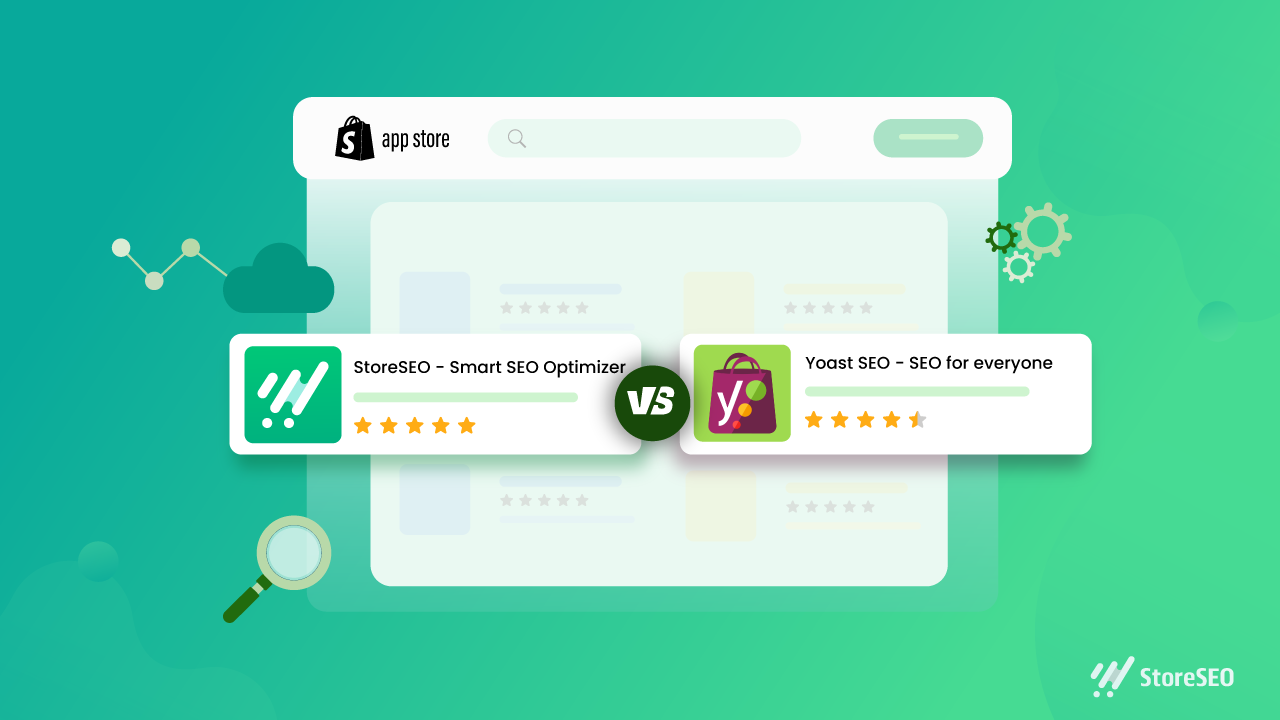
yoast seo for shopify

Yoast SEO for Shopify: A Practical Guide to Optimising Your Online Store

Yoast SEO for Shopify: A Practical Guide

Search engine optimisation (SEO) helps potential customers discover your Shopify store through search engines. Yoast SEO for Shopify is an app designed to make some SEO tasks easier, including improving page content, editing search previews and adding structured data. It can be a useful tool, but it works best as part of a broader strategy that includes useful content, a well-organised store and a good customer experience.

What is Yoast SEO for Shopify?

Yoast SEO for Shopify is an SEO app for Shopify stores. It provides guidance while you work on pages and products, helping you review elements such as page titles, meta descriptions and content. Depending on the app’s current features and your store setup, it can also help with technical SEO and structured data.

It is separate from Yoast SEO for WordPress. Shopify already manages some technical features, such as generating an XML sitemap and creating canonical URLs for many pages. An SEO app complements Shopify’s built-in tools; it does not replace them or automatically guarantee better rankings.

What can Yoast SEO help you with?

Search titles and meta descriptions

Search titles and meta descriptions help describe a page in search results. Yoast can help you draft and review these elements. Aim to make each one accurate, distinctive and appealing to searchers. Include relevant terms naturally, but avoid repeating keywords simply to influence rankings.

Product and collection content

Product and collection pages are central to most online shops. SEO guidance can help you spot opportunities to improve their text, but the most important thing is to give customers information they actually need. Describe a product’s features, materials, sizing, uses and care instructions where relevant. For collection pages, add a concise introduction that explains what shoppers will find.

Readability

Readability checks can highlight long sentences, dense paragraphs or other aspects of copy that may be difficult to follow. Treat these checks as prompts rather than strict rules: clear, natural writing is more valuable than changing good copy just to achieve a particular score.

Structured data

Structured data gives search engines information about the content of a page. Depending on the app’s configuration, Yoast may add structured data to eligible store pages. This can help search engines interpret your products and other content, but it does not guarantee enhanced listings or special placements in search results.

How to use Yoast SEO for Shopify

  1. Install the app from the Shopify App Store. Review its current features, pricing and compatibility before installing.
  2. Check your store settings. Make sure your store name, domain and other business details are correct, and review any guidance provided during setup.
  3. Start with important pages. Prioritise key products, collections and informational pages rather than trying to optimise everything at once.
  4. Review the page title and meta description. Write a clear, accurate summary that reflects the page and gives customers a reason to visit.
  5. Improve the page content. Make descriptions distinctive and helpful. Avoid copying manufacturer text across multiple products.
  6. Check images and links. Use descriptive file names and alternative text where appropriate, and ensure important pages are linked clearly within your store.
  7. Preview and publish your changes. Check how the page appears on your storefront and, where available, in search and social previews.

Best practice for Shopify SEO

  • Do keyword research. Find out how your customers describe the products and problems you serve. Use those insights to shape pages, not to stuff them with repeated phrases.
  • Write original product copy. Helpful details can distinguish your store from competitors selling similar products.
  • Keep your site easy to navigate. Use sensible collections, clear menus and descriptive links so customers and search engines can understand your store’s structure.
  • Optimise images thoughtfully. Use relevant image names and alt text, and make sure files are not unnecessarily large, as page speed affects the shopping experience.
  • Review mobile usability. Check that product information, menus, images and checkout are easy to use on a phone.
  • Monitor performance. Use tools such as Google Search Console and Shopify analytics to track search visibility, traffic and sales. Allow time for changes to be crawled and assessed.

Things to keep in mind

An SEO app can make optimisation more manageable, but it cannot compensate for thin content, confusing navigation or products that do not meet customer needs. Automated recommendations are not always right for every page, so use your judgement and check important changes before publishing.

Also avoid installing several apps that perform the same SEO tasks. Overlapping apps can create duplicated or conflicting metadata and structured data. If you change apps or themes, review key pages afterwards to make sure titles, descriptions and other SEO elements are still working as intended.

Is Yoast SEO for Shopify worth using?

Yoast SEO for Shopify may be useful if you want guided checks and a more structured process for improving your store’s content and search presentation. Its value depends on your needs, budget and how consistently you act on its recommendations. It is not essential for every Shopify store, and installing it alone will not deliver higher rankings.

For the best results, use Yoast as a practical aid: create genuinely useful product and collection pages, keep the store technically sound, and review performance over time. A well-maintained Shopify store gives both customers and search engines a clearer understanding of what you offer.


8 Essential Tips for Optimising Shopify with Yoast SEO

  1. Install the Yoast SEO app from the Shopify App Store.
  2. Write a unique SEO title for every product and page.
  3. Keep meta descriptions clear, concise and inviting.
  4. Use your main search phrase naturally in product copy.
  5. Add descriptive alt text to product images.
  6. Use Yoast’s feedback to improve readability and SEO.
  7. Review SEO titles and descriptions before publishing.
  8. Check redirects when changing product or page URLs.

Install the Yoast SEO app from the Shopify App Store.

To get started with Yoast SEO for Shopify, install the app from the Shopify App Store. Before installing, check that it suits your store’s needs, review its current features and pricing, and confirm it’s compatible with your Shopify setup. Once installed, follow the app’s setup guidance and review its recommendations before making changes to your pages.

Write a unique SEO title for every product and page.

Write a unique SEO title for every product and page in your Shopify store so customers and search engines can quickly understand what each one offers. Include the main topic or product name naturally, and make each title specific to that page rather than reusing a generic template. A clear, accurate title can help your page stand out in search results and attract more relevant visitors.

Keep meta descriptions clear, concise and inviting.

Keep your meta descriptions clear, concise and inviting. Summarise what shoppers will find on the page, highlight a useful benefit and give them a reason to click. Write a unique description for each important product or collection page, use natural language, and avoid awkwardly packing in keywords. Search engines may choose to display different text, but a well-written description can still help your listing stand out in search results.

Use your main search phrase naturally in product copy.

Use your main search phrase naturally in your product copy so customers and search engines can quickly understand what you’re selling. Include it where it fits—such as in the product description or a relevant heading—but prioritise clear, persuasive writing over repetition. Explain the product’s features and benefits in your own words, and use related terms only when they add useful detail. Avoid keyword stuffing, which can make descriptions awkward and less helpful to shoppers.

Add descriptive alt text to product images.

Add descriptive alt text to your product images so people using screen readers can understand what each image shows, and search engines can better interpret its context. Keep the text concise and specific: describe the product and any important visible details, such as its colour, style or material. For example, “Navy blue cotton shirt with a button-down collar” is more useful than “shirt image”. If an image is purely decorative and adds no information, leave the alt text blank where your Shopify theme allows it.

Use Yoast’s feedback to improve readability and SEO.

Use Yoast’s feedback as a guide to make your Shopify content clearer and easier to read. Its suggestions can highlight long sentences, dense paragraphs and opportunities to use relevant search terms naturally. Treat the checks as helpful prompts rather than strict rules: prioritise useful, accurate copy for your customers, and avoid awkward phrasing or keyword stuffing just to improve a score.

Review SEO titles and descriptions before publishing.

Review your SEO titles and meta descriptions before publishing each Shopify page. Make sure the title clearly describes the page and includes the main search term naturally, while the description gives shoppers a concise, accurate reason to click. Keep both unique across your store, avoid keyword stuffing, and check that they read well on search results pages.

Check redirects when changing product or page URLs.

When changing a product or page URL in Shopify, set up a redirect from the old address to the new one. This helps customers who follow an existing link reach the right page and guides search engines to its updated location, reducing the risk of broken links and lost traffic. Check that the redirect works correctly after publishing, and avoid redirecting unrelated URLs to your homepage.

seo consultant specialist

SEO Consultant Specialist: A Guide to Growing Your Search Visibility

What Does an SEO Consultant Specialist Do?

A strong online presence can help a business reach new customers, build credibility and grow over time. But appearing in search results is not simply a matter of adding a few keywords to a website. Search engine optimisation (SEO) involves a range of technical, creative and analytical tasks. An SEO consultant specialist helps businesses understand those tasks and develop a practical plan to improve their visibility in organic search.

What is an SEO consultant specialist?

An SEO consultant specialist is a professional who reviews a website’s search performance and recommends or carries out improvements. Their work may cover technical SEO, content, keyword research, local visibility and link-related activities. The exact role varies: some consultants provide strategic advice, while others work alongside a client’s team to implement changes and measure the results.

The aim is not just to attract more visitors. Effective SEO focuses on reaching relevant people and making it easier for them to find useful information, products or services.

What services can an SEO specialist provide?

SEO audits

An audit examines how well a website is performing from a search perspective. It may identify issues such as slow-loading pages, broken links, duplicate content, poor internal linking or pages that search engines struggle to access. An audit should prioritise findings according to their likely impact and the effort needed to address them.

Keyword and search-intent research

Keyword research helps reveal the words and questions people use when looking for a business, product or service. A specialist also considers search intent: what someone is hoping to achieve when they make a particular search. This helps shape pages that answer the right questions rather than simply repeating popular phrases.

Technical SEO

Technical SEO concerns the foundations that help search engines discover, crawl and understand a website. This can include site structure, mobile usability, page speed, indexing, redirects and structured data. Technical recommendations should take account of how the website is built and the resources available to maintain it.

Content strategy and on-page optimisation

An SEO consultant may advise on new content or improvements to existing pages. This can involve refining page titles and headings, improving internal links, making information easier to understand and identifying gaps in the site’s coverage. Good content should be useful to readers first, with optimisation supporting its clarity and discoverability.

Local SEO

For businesses serving a particular area, local SEO can help improve visibility in location-based searches. Work may include reviewing business listings, strengthening location pages and ensuring that key business details are accurate and consistent across relevant platforms.

Reporting and measurement

SEO takes time, so regular reporting is important. A specialist can help monitor indicators such as organic traffic, search visibility, enquiries, sales and the performance of important landing pages. The most useful measures depend on a business’s goals; rankings alone do not show whether a campaign is delivering value.

When might a business need an SEO consultant?

A consultant may be useful when a website receives little organic traffic, when search performance has declined, or when a business is planning a redesign or entering a new market. They can also provide specialist knowledge to a marketing team that needs support with a particular challenge.

SEO may not be the right immediate priority for every organisation. A consultant should be prepared to discuss expected timescales, limitations and alternative priorities, rather than promising instant results.

How to choose the right SEO specialist

Look for a consultant who takes time to understand your business, audience and goals. Before hiring someone, consider asking:

  • What would you review first, and why?
  • How will you prioritise recommendations?
  • What work will you carry out, and what will our team need to do?
  • How will progress and business outcomes be reported?
  • Can you explain your methods and share relevant examples?

Be cautious of guarantees of a number-one ranking or claims that results are certain by a fixed date. Search performance depends on many factors, including competition, website changes and search engine updates. A trustworthy specialist will explain what can be influenced, what cannot, and how success will be assessed.

Building a productive working relationship

SEO works best when it is treated as an ongoing part of a business’s digital strategy. The consultant needs access to accurate information and, where appropriate, collaboration with developers, writers and marketing staff. In return, the business should expect clear advice, realistic recommendations and transparent communication.

A capable SEO consultant specialist combines technical understanding with sound judgement and a focus on the customer. By connecting a clear strategy with useful content and a well-structured website, they can help a business build sustainable search visibility and make its online presence more effective.


Essential FAQs About Hiring an SEO Consultant Specialist in the UK

  1. What does an SEO consultant specialist do?
  2. How can an SEO consultant specialist help my business?
  3. How much does it cost to hire an SEO consultant specialist in the UK?
  4. How long does it take to see results from SEO?
  5. What should I look for when choosing an SEO consultant specialist?
  6. What is the difference between an SEO consultant and an SEO agency?
  7. How can I measure the success of an SEO consultant’s work?

What does an SEO consultant specialist do?

An SEO consultant specialist helps businesses improve their visibility in organic search results. They assess a website, identify opportunities and issues, and recommend or carry out work such as keyword research, technical improvements, content optimisation and local SEO. They also monitor performance and report on progress, with the aim of attracting more relevant visitors and supporting business goals.

How can an SEO consultant specialist help my business?

An SEO consultant specialist can help your business improve its visibility in search results and attract people who are looking for your products or services. They assess your website, research relevant search terms, identify technical and content improvements, and create a strategy tailored to your goals. They can also monitor performance and explain what is working, helping you make informed decisions and build sustainable organic traffic over time.

How much does it cost to hire an SEO consultant specialist in the UK?

The cost of hiring an SEO consultant specialist in the UK varies according to their experience, the scope of work and the complexity of your website. Some charge an hourly rate, while others offer a fixed-fee audit, monthly retainer or project-based pricing. A small, focused piece of work will generally cost less than ongoing support for a large or highly competitive website. Ask for a clear proposal outlining the work, deliverables, timescales and reporting, and be wary of guaranteed rankings or unusually low prices that promise quick results.

How long does it take to see results from SEO?

SEO is a long-term process, and the time it takes to see results depends on factors such as your website’s current condition, the level of competition and the work required. Some improvements, such as fixing technical issues, may have an impact sooner, while stronger gains in visibility, traffic and enquiries often take several months. An SEO consultant specialist should set realistic expectations, track progress against meaningful goals and refine the strategy as results develop.

What should I look for when choosing an SEO consultant specialist?

When choosing an SEO consultant specialist, look for someone who takes time to understand your business, audience and objectives, and can explain their recommendations in clear, practical terms. Ask about their experience, approach to technical SEO, content and reporting, and how they will measure progress against your goals. A reliable consultant sets realistic expectations, communicates transparently and avoids guarantees of specific rankings or instant results. It is also helpful to check relevant case studies or references and agree upfront on the work, timescales and responsibilities.

What is the difference between an SEO consultant and an SEO agency?

An SEO consultant is usually an individual specialist who provides focused advice and may also carry out SEO work, while an SEO agency is a team that can offer a broader range of services, such as technical SEO, content creation and digital PR. A consultant may give you direct, one-to-one support and suit a business with a specific SEO need; an agency may be better if you need several areas of expertise or a larger campaign. However, services vary, so compare each provider’s experience, approach, communication and fees rather than relying on the title alone.

How can I measure the success of an SEO consultant’s work?

Measure an SEO consultant’s success against clear business goals, not rankings alone. Track relevant indicators over time, such as organic traffic, visibility for target searches, qualified leads, enquiries, sales and revenue, alongside improvements to the website’s technical health and content. Agree on a baseline, realistic timescales and regular reporting with your consultant, and consider how results compare with seasonal changes or other marketing activity. SEO often takes time, so look for sustained progress and transparent explanations rather than promises of instant results.

localised seo

Localised SEO: How to Reach the Right Audience in the Right Place

Localised SEO: How to Reach the Right Audience in the Right Place

Search engine optimisation is not a one-size-fits-all activity. People in different towns, regions and countries may use different words, expect different information and look for different services. Localised SEO helps businesses make their websites and online presence relevant to those audiences.

Whether you serve customers in one neighbourhood or operate across several countries, a thoughtful localisation strategy can improve your visibility in search results and make it easier for potential customers to choose your business.

What is localised SEO?

Localised SEO is the practice of adapting your website and digital marketing to the language, location and needs of a particular audience. It can include local SEO for a business serving a specific area, as well as broader optimisation for regional or international markets.

For example, a plumber in Manchester might optimise a service page for searches such as “emergency plumber in Manchester”. A retailer expanding into France may need French-language pages, locally relevant product information and a website structure that helps search engines identify which content is intended for French customers.

Why does localisation matter?

People often include a location in their searches, particularly when they are looking for services, shops or venues nearby. Even when they do not name a place, search engines may use their location to provide relevant results.

Localised content can help your business:

  • Appear in searches made by people in your target area.
  • Reach audiences using local terms, spellings and phrases.
  • Provide useful information, such as opening hours, delivery areas or service locations.
  • Build trust by showing that your business understands the local market.
  • Compete more effectively with businesses that serve the same customers.

Start with local keyword research

Keyword research should reflect how people actually search in each location. The words used for the same product or service can vary between regions and countries. Even within the UK, language and search habits may differ from one area to another.

Research search terms for each audience rather than simply translating a list of keywords. Consider local place names, common abbreviations, regional terminology and the questions customers ask. Search data, customer enquiries and conversations with local staff can all help uncover relevant phrases.

Use these terms naturally in page titles, headings, page copy and image descriptions. Avoid adding a long list of locations to a page where they do not make sense; content should be useful to people first.

Create genuinely local content

Changing a place name on a generic page is rarely enough to make it relevant. Strong localised content answers the questions and needs of people in that area.

Depending on your business, useful pages might cover:

  • The services available in a particular location.
  • Areas you serve and any travel or delivery limitations.
  • Local pricing, availability or seasonal considerations.
  • Case studies, projects or customer stories from the area.
  • Local events, regulations or practical information relevant to your offer.

Make sure each location page offers distinct value. Near-identical pages created only to target different town names can provide a poor experience and may not perform well in search.

Keep business information accurate

For businesses with a physical location or a defined service area, consistent business details are essential. Keep your business name, address, telephone number and opening hours accurate wherever they appear online.

Claim and maintain your business profile on relevant search and map platforms. Choose the most accurate business categories, add current photographs and respond professionally to customer reviews. If you serve customers at their homes rather than at a public premises, make sure your online profiles reflect that correctly.

On your website, make it easy for visitors to find your contact details, directions and service-area information. Structured data can also help search engines interpret details such as your business type, address and opening hours.

Think beyond translation

For businesses targeting audiences in other countries, localisation involves more than translating website copy. The experience should make sense to people in the market you are trying to reach.

Consider local spelling, measurements, currencies, date formats, payment methods and customer expectations. Review product descriptions, examples and imagery to ensure they are appropriate. A professional translator or local market specialist can help avoid awkward wording and unintended meanings.

Technical choices matter too. Use a clear website structure for each language or country, and make it easy for search engines and visitors to understand which version is intended for them. Where appropriate, implement hreflang annotations to indicate language and regional alternatives. Avoid relying solely on automatic redirects based on a visitor’s location, as these can make pages harder to access for users and search engines.

Build local authority

Links and mentions from reputable local organisations can strengthen your visibility and credibility. Relevant opportunities may include local business directories, trade associations, community groups, suppliers, event partners and local media.

Focus on genuine relationships and useful contributions rather than collecting links from low-quality directories. Customer reviews also influence how potential customers assess a business. Encourage honest feedback and respond constructively, without pressuring customers to leave a particular rating.

Measure results by location

Track performance for each area or market you target. Useful measures include organic visits, local search visibility, enquiries, calls, bookings, purchases and direction requests. Look beyond rankings: a page that attracts relevant visitors and generates enquiries may be more valuable than one that ranks well for a broad, low-intent term.

Use analytics and search performance tools to identify which locations and pages are performing well. Review results regularly and update content when services, opening hours, market conditions or customer needs change.

Common localised SEO mistakes

  • Using the same generic page for every location.
  • Translating keywords without researching local search behaviour.
  • Publishing inaccurate or inconsistent contact details.
  • Adding place names unnaturally throughout the website.
  • Creating location pages with little unique information.
  • Ignoring reviews, business profiles or local customer questions.
  • Assuming rankings alone show whether the strategy is working.

Make your SEO relevant to every audience

Effective localised SEO combines sound technical foundations with a clear understanding of local customers. Research how people search, provide genuinely useful location-specific information and keep your business details accurate. For international audiences, take the additional step of adapting the language and experience to the market rather than relying on direct translation.

By making your website more relevant to the people and places you want to reach, you can create a stronger search presence and a more helpful experience for prospective customers.


Understanding Localised SEO: Key Questions and Insights

  1. Is doing a local SEO worth it?
  2. What is a local SEO example?
  3. What is Localised search?
  4. What are the types of local SEO?
  5. Why local SEO is important for SEO?
  6. What is localized SEO?

Is doing a local SEO worth it?

Yes, local SEO can be well worth the investment if your business serves customers in specific areas. It can help you appear in local search results and maps when nearby people are looking for the products or services you offer, making it easier for them to contact or visit you. The results depend on your competition, location and how consistently you maintain your website and business listings, so track enquiries and sales as well as rankings to measure its value.

What is a local SEO example?

A local SEO example is a London-based plumber optimising their website and Google Business Profile to appear when nearby customers search for “emergency plumber in Camden”. This might include creating a useful page about plumbing services in Camden, displaying accurate contact details and opening hours, and collecting genuine customer reviews. These local signals help search engines connect the business with relevant searches in the area.

Localised search is when a search engine tailors results to a person’s location or the area they’re interested in. For example, someone searching for “coffee shops” may see nearby cafés, while a search for “accountant in Bristol” is likely to show businesses serving Bristol. Localised SEO helps businesses appear in these relevant results by using accurate location details, useful area-specific content and up-to-date business listings.

What are the types of local SEO?

The main types of local SEO are location-based SEO, which helps businesses appear in searches for a specific town, city or neighbourhood, and service-area SEO, which targets customers across the areas a business serves, even if it does not have a shopfront in each one. Local SEO can also focus on multiple locations for businesses with several branches, or on localised content that reflects regional language, needs and search terms. The right approach depends on where your customers are and how your business serves them.

Why local SEO is important for SEO?

Local SEO is important because it helps your business appear when nearby customers search for the products or services you offer. By optimising your website, business profile and local listings with accurate details and relevant location information, you can improve your visibility in local search results and maps. This makes it easier for potential customers to find, contact and visit you, while helping search engines understand where you operate and which local searches your business is relevant to.

What is localized SEO?

Localised SEO is the process of improving your website and online presence so they are more relevant to people in a specific area or market. It includes researching local search terms, creating content for local audiences, keeping business details accurate and, where needed, adapting language and information for different regions or countries. The aim is to help the right customers find your business when they search for relevant products or services nearby.

laravel seo

Maximising Your Laravel Website’s Visibility with Effective SEO Strategies

Laravel SEO: Optimising Your Laravel Website for Search Engines

Laravel SEO: Optimising Your Laravel Website for Search Engines

Search Engine Optimization (SEO) is crucial for any website looking to increase its visibility and attract more organic traffic. When it comes to Laravel websites, implementing effective SEO strategies can significantly improve your site’s ranking on search engine results pages.

Why Laravel?

Laravel is a popular PHP framework known for its elegant syntax, robust features, and scalability. It provides developers with a solid foundation to build dynamic and SEO-friendly websites. However, optimising a Laravel website for search engines requires careful attention to various technical aspects.

Key SEO Considerations for Laravel Websites:

  • Optimising Routes: Define clean and user-friendly URLs using Laravel’s routing system. Utilise relevant keywords in your route definitions to improve search engine visibility.
  • Meta Tags: Customise meta titles and descriptions for each page using Laravel’s Blade templating engine. Include targeted keywords to enhance click-through rates from search results.
  • Optimising Images: Compress images and add descriptive alt text attributes to improve accessibility and keyword relevance.
  • Structured Data: Implement structured data markup using JSON-LD or Microdata to help search engines understand your content better and display rich snippets in search results.
  • Page Speed: Optimise code, minimise server requests, and leverage caching mechanisms to enhance page loading speed, which is a crucial factor in SEO rankings.
  • Mobile Responsiveness: Ensure your Laravel website is mobile-responsive to provide a seamless user experience across devices, as mobile-friendliness is a significant ranking factor for search engines.
  • Sitemap Creation: Generate an XML sitemap with all your website’s URLs to facilitate search engine crawling and indexing of your content.
  • Error Handling: Implement proper error handling mechanisms such as custom 404 pages to retain visitors and prevent negative impacts on SEO due to broken links.

In Conclusion

By incorporating these SEO best practices into your Laravel website development process, you can enhance its visibility, attract more organic traffic, and ultimately improve your online presence. Remember that SEO is an ongoing effort that requires monitoring, analysis, and continuous optimization to stay ahead in the competitive digital landscape.


Top 7 Frequently Asked Questions About Enhancing SEO in Laravel Development

  1. 1. How can I optimise routes for SEO in Laravel websites?
  2. 2. What are the best practices for meta tags in Laravel SEO?
  3. 3. How important is image optimization for SEO on a Laravel website?
  4. 4. What is structured data, and how does it impact SEO in Laravel development?
  5. 5. How can I improve page speed for better SEO performance in Laravel projects?
  6. 6. Why is mobile responsiveness crucial for SEO success in Laravel websites?
  7. 7. What role does sitemap creation play in enhancing SEO on a Laravel site?

1. How can I optimise routes for SEO in Laravel websites?

Optimising routes for SEO in Laravel websites is essential for enhancing search engine visibility and improving website rankings. To optimise routes for SEO in Laravel, it is crucial to define clean and user-friendly URLs that incorporate relevant keywords related to the content of each page. By utilising Laravel’s routing system effectively and structuring URLs with targeted keywords, you can make it easier for search engines to crawl and index your website’s pages. Additionally, ensuring that your route definitions are concise, descriptive, and reflective of your content can help boost organic traffic and improve the overall SEO performance of your Laravel website.

2. What are the best practices for meta tags in Laravel SEO?

When it comes to optimising meta tags for SEO in Laravel, following best practices is essential to enhance your website’s visibility and search engine ranking. In Laravel, customising meta titles and descriptions for each page using the Blade templating engine allows for the inclusion of relevant keywords and compelling information. It is crucial to craft unique and descriptive meta tags that accurately reflect the content of each page while enticing users to click through from search results. By incorporating targeted keywords, maintaining consistency across meta tags, and ensuring they align with the content on the page, you can effectively improve your site’s SEO performance and user engagement.

3. How important is image optimization for SEO on a Laravel website?

Image optimization plays a significant role in enhancing the SEO performance of a Laravel website. When it comes to SEO, images are not just visual elements but also valuable assets for improving user experience and search engine visibility. Proper image optimization in Laravel involves compressing images to reduce file size without compromising quality, adding descriptive alt text to provide context for search engines, and utilising relevant filenames and captions with targeted keywords. By optimising images effectively, a Laravel website can improve page loading speed, enhance accessibility for users with visual impairments, and increase the likelihood of images appearing in search results, thus contributing to overall SEO success.

4. What is structured data, and how does it impact SEO in Laravel development?

Structured data refers to a method of organising and marking up website content in a format that search engines can easily understand. In the context of Laravel development, structured data plays a crucial role in enhancing SEO performance. By implementing structured data using formats like JSON-LD or Microdata, developers can provide search engines with additional context about the content on their website. This, in turn, can lead to rich snippets being displayed in search results, improving visibility and click-through rates. Structured data helps search engines better interpret and index website content, ultimately contributing to higher rankings and improved organic traffic for Laravel websites.

5. How can I improve page speed for better SEO performance in Laravel projects?

Improving page speed is crucial for enhancing SEO performance in Laravel projects. To boost your website’s speed and optimise for search engines, consider implementing strategies such as minifying CSS and JavaScript files, leveraging browser caching, compressing images, reducing server response time, and utilising content delivery networks (CDNs). Additionally, using Laravel’s built-in caching mechanisms like Redis or Memcached can help improve page loading times by storing frequently accessed data. By prioritising page speed optimisation in your Laravel project, you can provide a better user experience, increase search engine rankings, and drive more organic traffic to your site.

6. Why is mobile responsiveness crucial for SEO success in Laravel websites?

Mobile responsiveness is essential for SEO success in Laravel websites due to the increasing number of users accessing the internet via mobile devices. Search engines like Google prioritise mobile-friendly websites in their rankings to provide a better user experience for mobile users. With the majority of searches now happening on mobile, having a responsive design ensures that your website adapts seamlessly to different screen sizes and resolutions, improving usability and reducing bounce rates. By prioritising mobile responsiveness in your Laravel website, you not only enhance user engagement but also signal to search engines that your site is user-friendly, ultimately boosting your SEO performance and visibility in search results.

7. What role does sitemap creation play in enhancing SEO on a Laravel site?

Sitemap creation plays a crucial role in enhancing SEO on a Laravel site by providing search engines with a structured map of all the pages on the website. In the context of Laravel SEO, a well-organised XML sitemap helps search engine crawlers to discover and index content more efficiently, leading to improved visibility in search results. By including all relevant URLs in the sitemap, including those that might not be easily accessible through internal links, Laravel websites can ensure that their content is thoroughly explored and indexed by search engines, ultimately boosting their chances of ranking higher for relevant keywords.

react seo

Mastering React SEO: Strategies for Optimising Your Website

The Importance of SEO for React Websites

The Importance of SEO for React Websites

React has become one of the most popular JavaScript libraries for building dynamic and interactive web applications. However, when it comes to search engine optimisation (SEO), React websites present some unique challenges that developers need to address.

Why SEO Matters for React Websites

SEO is crucial for any website that aims to rank well on search engine results pages (SERPs) and attract organic traffic. While React offers many benefits in terms of performance and user experience, it also introduces certain obstacles for search engines to crawl and index content effectively.

Challenges of SEO with React

One of the main challenges with React websites is that they are typically built using single-page application (SPA) architecture. SPAs load content dynamically without refreshing the entire page, which can make it difficult for search engine bots to crawl and index all the relevant content.

Another issue is that React relies heavily on client-side rendering, which means that some content may not be visible to search engines during the initial crawl. This can impact how well your website ranks for relevant keywords and topics.

Best Practices for SEO with React

To overcome these challenges and ensure that your React website is optimised for search engines, consider implementing the following best practices:

  • Server-Side Rendering (SSR): Implement SSR to pre-render your React components on the server before sending them to the client. This helps ensure that search engines can crawl and index your content more effectively.
  • Structured Data: Use structured data markup such as JSON-LD to provide search engines with additional context about your content. This can enhance your chances of appearing in rich snippets and other SERP features.
  • Optimised Metadata: Pay attention to meta tags, title tags, and other metadata elements to improve how your pages appear in search results. Make sure they accurately reflect the content on each page.
  • Crawlable Navigation: Ensure that all important links within your site are accessible to search engine crawlers by providing a crawlable navigation structure.
  • Page Speed Optimisation: Optimise your React website for speed by minimising code bloat, leveraging browser caching, and implementing lazy loading techniques where appropriate.

In Conclusion

While building a high-performance React website is essential for engaging users, it’s equally important to consider SEO best practices to ensure that your content is discoverable by search engines. By following these guidelines and staying informed about the latest developments in SEO, you can maximise the visibility and impact of your React website in organic search results.


7 Essential Tips for Enhancing SEO in Your React Application

  1. Ensure all important content is rendered in the initial HTML response for better SEO indexing.
  2. Use semantic HTML elements to structure your React components for improved accessibility and SEO.
  3. Optimize images by providing descriptive alt text and ensuring proper sizing for faster page loading.
  4. Implement server-side rendering or prerendering to improve SEO performance by serving fully rendered pages to search engine crawlers.
  5. Include relevant meta tags such as title, description, and Open Graph tags to enhance how your site appears in search results and on social media platforms.
  6. Create a sitemap.xml file to help search engines discover and index all pages of your React application more efficiently.
  7. Monitor and analyse your website’s performance using tools like Google Search Console and Google Analytics to make data-driven decisions for improving SEO.

Ensure all important content is rendered in the initial HTML response for better SEO indexing.

To enhance the search engine optimisation (SEO) of your React website, it is crucial to ensure that all vital content is rendered in the initial HTML response. By including key content in the initial server-side rendering, you can improve SEO indexing as search engine bots can efficiently crawl and index the relevant information. This practice helps boost the visibility of your website on search engine results pages (SERPs) by ensuring that essential content is readily accessible and indexable from the outset.

Use semantic HTML elements to structure your React components for improved accessibility and SEO.

By utilising semantic HTML elements to structure your React components, you can significantly enhance both the accessibility and SEO performance of your website. Semantic elements provide meaningful information about the content they enclose, making it easier for search engines to understand and index your pages effectively. Moreover, by prioritising accessibility through proper semantic structuring, you not only improve user experience for all visitors but also signal to search engines that your site is optimised for inclusivity and usability. Embracing semantic HTML in your React components is a simple yet powerful way to boost both accessibility and SEO outcomes.

Optimize images by providing descriptive alt text and ensuring proper sizing for faster page loading.

In order to enhance the SEO performance of your React website, it is essential to optimise images by incorporating descriptive alt text and ensuring appropriate sizing. By providing meaningful alt text, you not only improve accessibility for visually impaired users but also offer search engines valuable context about the content of your images. Moreover, resizing images to fit their display dimensions helps reduce page load times, enhancing user experience and potentially boosting your site’s search engine rankings.

Implement server-side rendering or prerendering to improve SEO performance by serving fully rendered pages to search engine crawlers.

Implementing server-side rendering or prerendering is a crucial step in enhancing the SEO performance of React websites. By serving fully rendered pages to search engine crawlers, developers can ensure that content is readily accessible and indexable, improving the website’s visibility on search engine results pages. This approach not only helps search engines better understand and rank the content but also enhances the overall user experience by ensuring faster loading times and smoother navigation.

Include relevant meta tags such as title, description, and Open Graph tags to enhance how your site appears in search results and on social media platforms.

Including relevant meta tags such as title, description, and Open Graph tags is a crucial tip for optimising SEO in React websites. These meta tags play a significant role in enhancing how your site appears in search engine results pages (SERPs) and on social media platforms. By crafting compelling and accurate meta titles and descriptions, you can improve the click-through rate to your site from search results. Additionally, utilising Open Graph tags ensures that when your content is shared on social media, it displays correctly with the intended title, description, and image, thereby increasing visibility and engagement across various platforms.

Create a sitemap.xml file to help search engines discover and index all pages of your React application more efficiently.

Creating a sitemap.xml file for your React application is a valuable tip to enhance SEO performance. By providing search engines with a structured map of all the pages on your website, you can help them navigate and index your content more efficiently. This proactive approach not only ensures that all pages are discovered but also aids in improving the overall visibility and ranking of your React application in search engine results.

Monitor and analyse your website’s performance using tools like Google Search Console and Google Analytics to make data-driven decisions for improving SEO.

Monitoring and analysing your React website’s performance is crucial for effective SEO management. By utilising tools such as Google Search Console and Google Analytics, you can gather valuable insights into how users interact with your site, which keywords drive traffic, and where improvements are needed. These data-driven decisions empower you to refine your SEO strategies, enhance user experience, and ultimately boost your website’s visibility in search engine results. Stay informed, adapt to trends, and leverage analytics to optimise your React website for maximum impact in the competitive online landscape.

google news seo

Mastering Google News SEO for Enhanced Online Visibility

Enhancing Your Online Visibility with Google News SEO

Enhancing Your Online Visibility with Google News SEO

In today’s fast-paced digital world, staying ahead of the competition requires more than just a well-designed website. With the vast amount of content available online, getting your news articles noticed can be a challenging task. This is where Google News SEO comes into play.

What is Google News SEO?

Google News SEO refers to the practice of optimising your news content to appear prominently in Google News search results. By implementing specific strategies and best practices, you can increase the visibility of your news articles and reach a wider audience.

Key Strategies for Google News SEO

Publish High-Quality Content: Creating informative, timely, and relevant news articles is essential for Google News SEO success. Focus on providing valuable content that engages readers and encourages them to share your articles.

Optimise Metadata: Pay attention to your article titles, meta descriptions, and URLs. Use relevant keywords that accurately reflect the content of your news articles to improve their visibility in search results.

Utilise Structured Data: Implement structured data markup such as schema.org to provide search engines with additional context about your news articles. This can help search engines understand the content better and display rich snippets in search results.

Focus on Site Speed: Ensure that your website loads quickly on both desktop and mobile devices. Site speed is a crucial ranking factor for Google News, so optimising your site’s performance can positively impact your visibility in search results.

The Benefits of Google News SEO

By incorporating Google News SEO strategies into your content creation process, you can enjoy several benefits:

  • Increased Visibility: Appearing in Google News search results can significantly boost the visibility of your news articles and drive more traffic to your website.
  • Better Credibility: Being featured in Google News lends credibility to your brand and establishes you as a trusted source of information within your industry.
  • Expanded Reach: With improved visibility in Google News, you have the opportunity to reach a broader audience and attract new readers to your website.
  • Higher Engagement: Optimised news articles are more likely to attract clicks and engagement from users who are actively seeking relevant information.

In Conclusion

Incorporating Google News SEO best practices into your content strategy can have a significant impact on the success of your news articles online. By focusing on creating high-quality content, optimising metadata, utilising structured data, and improving site speed, you can enhance your online visibility and attract more readers to your website through Google News.


Enhance Your Google News SEO: 8 Essential Tips for Optimising Content and Visibility

  1. 1. Create high-quality, relevant content for your Google News articles.
  2. 2. Use clear and descriptive headlines that accurately represent the article’s content.
  3. 3. Optimise your articles for search engines by including relevant keywords in the title and throughout the content.
  4. 4. Ensure your website is mobile-friendly to improve user experience and SEO rankings.
  5. 5. Regularly update your website with fresh news content to keep readers engaged and improve visibility on Google News.
  6. 6. Utilise structured data markup to help Google understand the context of your news articles better.
  7. 7. Focus on building backlinks from reputable sources to increase the authority of your news website.
  8. 8. Monitor performance using Google Search Console and make adjustments based on analytics data.

1. Create high-quality, relevant content for your Google News articles.

Creating high-quality, relevant content is paramount when it comes to optimising your Google News articles for search visibility. By focusing on producing timely and informative news pieces that resonate with your target audience, you not only enhance the credibility of your brand but also increase the likelihood of your articles being featured prominently in Google News search results. Quality content that addresses the interests and needs of readers not only attracts more traffic to your website but also establishes you as a reliable source of information within your industry.

2. Use clear and descriptive headlines that accurately represent the article’s content.

To enhance your visibility on Google News, it is crucial to utilise clear and descriptive headlines that accurately portray the content of your articles. By crafting headlines that succinctly summarise the essence of the article, you not only improve the chances of your content being discovered but also provide users with a clear expectation of what they will find. Clear and descriptive headlines help search engines understand the relevance of your news articles, increasing the likelihood of them appearing in relevant search results and attracting more readers to engage with your content.

3. Optimise your articles for search engines by including relevant keywords in the title and throughout the content.

To enhance your visibility on Google News, it is crucial to optimise your articles for search engines by strategically incorporating relevant keywords in the title and throughout the content. By including these keywords, you can improve the chances of your news articles being discovered by users searching for related topics. Ensuring that the keywords are seamlessly integrated into the content not only boosts your article’s search engine ranking but also enhances its relevance to the target audience, ultimately driving more traffic to your website.

4. Ensure your website is mobile-friendly to improve user experience and SEO rankings.

Ensuring that your website is mobile-friendly is a crucial aspect of Google News SEO. With an increasing number of users accessing news articles on their mobile devices, having a responsive design that adapts to different screen sizes is essential for providing a seamless user experience. Not only does a mobile-friendly website enhance usability and readability for visitors, but it also positively impacts your SEO rankings. Google prioritises mobile-friendly websites in its search results, making it easier for your news articles to be discovered by a wider audience and improving your overall online visibility. By optimising your site for mobile devices, you not only cater to the preferences of modern users but also boost your chances of ranking higher in search engine results pages.

5. Regularly update your website with fresh news content to keep readers engaged and improve visibility on Google News.

To enhance your visibility on Google News and keep readers engaged, it is crucial to follow the tip of regularly updating your website with fresh news content. By consistently publishing new and relevant articles, you not only cater to the interests of your audience but also signal to search engines that your website is active and authoritative. This proactive approach can lead to improved visibility in Google News search results, attracting more readers and establishing your brand as a reliable source of up-to-date information in the digital landscape.

6. Utilise structured data markup to help Google understand the context of your news articles better.

To enhance your Google News SEO strategy, it is crucial to utilise structured data markup effectively. By incorporating schema.org markup and other structured data formats, you can provide valuable context to Google about the content of your news articles. This helps search engines better understand the relevance and significance of your articles, ultimately improving their visibility in search results. Implementing structured data markup is a powerful technique that can elevate the performance of your news content and attract more readers to engage with your articles.

To enhance the authority of your news website in Google News SEO, it is crucial to focus on building backlinks from reputable sources. Backlinks from high-quality and credible websites not only signal to search engines that your content is trustworthy and valuable but also help increase the overall authority of your news website. By establishing a network of quality backlinks, you can improve your website’s visibility in Google News search results and attract a larger audience to your news articles.

8. Monitor performance using Google Search Console and make adjustments based on analytics data.

To maximise the effectiveness of your Google News SEO strategy, it is crucial to monitor performance using Google Search Console and make informed adjustments based on analytics data. By regularly analysing key metrics such as click-through rates, impressions, and keyword performance, you can gain valuable insights into the performance of your news articles. This data allows you to identify areas for improvement, refine your content strategy, and optimise your website for better visibility in Google News search results. Continuous monitoring and analysis enable you to adapt to changing trends and audience preferences, ultimately enhancing the impact of your SEO efforts on Google News.

seo nextjs

Maximising SEO Performance with Next.js: A Guide to Success

SEO with Next.js: Boosting Your Website’s Performance

SEO with Next.js: Boosting Your Website’s Performance

In the realm of modern web development, having a website that is not only visually appealing but also performs well in search engine results is crucial for success. This is where Next.js, a popular React framework, comes into play. By leveraging the power of Next.js for your website, you can supercharge your SEO efforts and enhance your online visibility.

The Power of Next.js for SEO

Next.js offers a range of features that make it an ideal choice for boosting your website’s SEO performance. Its server-side rendering capabilities help search engine crawlers easily index your content, leading to improved visibility on search engine results pages (SERPs). Additionally, Next.js provides support for dynamic routing, which allows you to create SEO-friendly URLs that are both user-friendly and easily discoverable by search engines.

Optimising Your Website with Next.js

When it comes to SEO optimisation with Next.js, there are several best practices to keep in mind. Firstly, ensure that your website’s metadata, including title tags and meta descriptions, are optimised for relevant keywords. Next.js makes it easy to customise these elements for each page of your site.

Furthermore, utilise Next.js’s built-in support for structured data to mark up your content in a way that search engines understand. By implementing schema.org markup using Next.js components, you can enhance the visibility of your website in rich snippets and other SERP features.

Improving Page Speed and Performance

In addition to its SEO benefits, Next.js can also help improve your website’s overall performance. With features like automatic code splitting and prefetching of linked pages, Next.js ensures that your site loads quickly and provides users with a seamless browsing experience. Search engines like Google consider page speed as a ranking factor, so optimising performance with Next.js can positively impact your SEO efforts.

Final Thoughts

By harnessing the capabilities of Next.js for SEO optimisation, you can take your website’s performance to the next level. Whether you’re looking to improve crawlability, enhance user experience or boost search rankings, incorporating Next.js into your web development toolkit can yield significant benefits. Stay ahead of the competition and maximise your online presence with the powerful combination of SEO and Next.js.


7 Essential SEO Tips for Optimising Your Next.js Website

  1. Ensure proper meta tags (title, description) for each page.
  2. Implement structured data to enhance search engine visibility.
  3. Optimize images by using descriptive filenames and alt text.
  4. Create SEO-friendly URLs with relevant keywords.
  5. Improve page loading speed for better user experience and SEO ranking.
  6. Generate a sitemap.xml file to help search engines index your site efficiently.
  7. Regularly monitor and analyse website performance using tools like Google Analytics.

Ensure proper meta tags (title, description) for each page.

Ensuring proper meta tags, including title and description, for each page is a crucial tip when it comes to SEO with Next.js. By customising these meta tags for every page on your website, you can provide search engines with valuable information about the content of each page. This not only helps improve your website’s visibility in search engine results but also enhances user experience by displaying relevant and enticing snippets in search listings. With Next.js’s flexibility in managing metadata, optimising meta tags for each page becomes a seamless process, ultimately contributing to a more effective SEO strategy.

Implement structured data to enhance search engine visibility.

Implementing structured data is a key tip for maximising the SEO potential of Next.js websites. By incorporating schema.org markup using Next.js components, you can provide search engines with valuable context about your content. This structured data not only enhances the visibility of your website in search engine results but also increases the likelihood of appearing in rich snippets and other SERP features. By following this best practice, you can improve your website’s search engine visibility and attract more organic traffic to your site.

Optimize images by using descriptive filenames and alt text.

When utilising Next.js for SEO optimisation, a crucial tip is to optimise images by employing descriptive filenames and alt text. By naming images with relevant keywords and providing informative alt text, you not only enhance accessibility for visually impaired users but also provide search engines with valuable context about the content of the image. This practice can improve your website’s overall SEO performance and increase the likelihood of your images appearing in relevant search results, thereby driving more organic traffic to your site.

Create SEO-friendly URLs with relevant keywords.

When utilising Next.js for SEO optimisation, a key tip is to create SEO-friendly URLs that incorporate relevant keywords. By structuring your website’s URLs in a way that reflects the content and includes targeted keywords, you enhance the discoverability of your pages by search engines. Next.js’s dynamic routing capabilities make it easy to customise URLs for each page, ensuring they are both user-friendly and optimised for search engine visibility. Implementing this practice can significantly improve your website’s ranking potential and attract more organic traffic to your site.

Improve page loading speed for better user experience and SEO ranking.

Optimising page loading speed is a crucial aspect of SEO when utilising Next.js. By enhancing the performance of your website and ensuring faster loading times, you not only provide users with a better browsing experience but also improve your SEO ranking. Search engines like Google prioritise fast-loading websites in their rankings, making it essential to focus on improving page speed for both user satisfaction and search engine visibility. With Next.js’s features such as automatic code splitting and prefetching, you can streamline your website’s performance, leading to increased user engagement and higher search engine rankings.

Generate a sitemap.xml file to help search engines index your site efficiently.

To enhance the search engine optimisation (SEO) of your Next.js website, consider generating a sitemap.xml file. This file acts as a roadmap for search engine crawlers, guiding them to all the important pages on your site. By providing a clear and organised structure of your website’s content through a sitemap, you can help search engines index your site efficiently. This, in turn, can improve the visibility of your website in search results and ensure that all relevant pages are properly crawled and indexed.

Regularly monitor and analyse website performance using tools like Google Analytics.

Regularly monitoring and analysing your website’s performance is crucial for effective SEO strategies when utilising Next.js. By leveraging tools such as Google Analytics, you can gain valuable insights into user behaviour, traffic sources, and key performance indicators. This data allows you to make informed decisions to optimise your website for search engines and enhance the overall user experience. Continuous monitoring and analysis help you identify areas for improvement, track the effectiveness of your SEO efforts, and ultimately drive better results in terms of visibility and organic traffic.

Unlocking the Power of Flutter SEO: Enhancing Visibility for Your App

Optimising SEO for Flutter Apps: A Comprehensive Guide

Optimising SEO for Flutter Apps: A Comprehensive Guide

Flutter, Google’s open-source UI software development kit, has gained immense popularity for building high-quality native interfaces on Android and iOS platforms. However, when it comes to Search Engine Optimization (SEO) for Flutter apps, there are specific considerations to keep in mind to ensure your app ranks well in search engine results.

The Importance of SEO for Flutter Apps

SEO plays a crucial role in driving organic traffic to your app. Without proper optimisation, your Flutter app may struggle to appear in search engine results, limiting its visibility and reach. By implementing effective SEO strategies, you can improve your app’s discoverability and attract more users.

Key Strategies for Optimising SEO in Flutter Apps

Metadata Optimisation: Pay attention to meta tags such as title tags, meta descriptions, and keywords. Ensure that these elements accurately reflect the content and purpose of your app.

Structured Data: Implement structured data markup to provide search engines with additional context about your app’s content. This can enhance the appearance of your app in search results with rich snippets.

Mobile-Friendly Design: Since Flutter apps are designed for mobile devices, ensure that your app is responsive and offers a seamless user experience on smartphones and tablets. Mobile-friendliness is a key ranking factor for search engines.

Page Speed Optimisation: Improve the loading speed of your Flutter app by optimising images, reducing server response time, and leveraging caching techniques. Faster loading times not only enhance user experience but also boost SEO performance.

Measuring SEO Performance in Flutter Apps

To track the effectiveness of your SEO efforts in Flutter apps, consider using tools like Google Analytics or Firebase Analytics. Monitor key metrics such as organic traffic, keyword rankings, bounce rate, and conversion rates to evaluate the impact of your optimisation strategies.

In Conclusion

Incorporating SEO best practices into your Flutter app development process is essential for maximising its online visibility and attracting a larger audience. By following these guidelines and staying updated on the latest SEO trends, you can enhance the discoverability of your Flutter apps and drive sustainable growth in organic traffic.


9 Essential SEO Tips for Optimising Your Flutter App

  1. 1. Use descriptive page titles that include relevant keywords.
  2. 2. Write concise and informative meta descriptions for each page.
  3. 3. Optimise images by using descriptive filenames and alt text.
  4. 4. Create a sitemap to help search engines index your Flutter app’s content.
  5. 5. Implement structured data to enhance the visibility of your content in search results.
  6. 6. Ensure fast loading times by optimising code and assets.
  7. 7. Build internal links within your app to improve navigation and SEO.
  8. 8. Regularly update your app with fresh content to keep users engaged and attract search engine crawlers.
  9. 9. Monitor performance using analytics tools to track SEO progress and make necessary adjustments.

1. Use descriptive page titles that include relevant keywords.

To enhance the SEO performance of your Flutter app, it is crucial to use descriptive page titles that incorporate relevant keywords. By crafting informative and keyword-rich page titles, you not only provide users with a clear understanding of your app’s content but also improve its visibility in search engine results. Including relevant keywords in your page titles helps search engines understand the context and relevance of your app, increasing the likelihood of it being displayed to users searching for related topics. This simple yet effective strategy can significantly boost the discoverability and ranking of your Flutter app in search engine listings.

2. Write concise and informative meta descriptions for each page.

When focusing on SEO for Flutter apps, it is crucial to adhere to the tip of writing concise and informative meta descriptions for each page. Meta descriptions serve as a brief summary of the content on a webpage and play a significant role in attracting users by providing them with a preview of what to expect. By crafting clear and relevant meta descriptions tailored to each page within the app, developers can enhance the app’s visibility in search engine results and entice users to click through, ultimately improving user engagement and driving organic traffic.

3. Optimise images by using descriptive filenames and alt text.

When focusing on Flutter SEO, a crucial tip is to optimise images by using descriptive filenames and alt text. By providing meaningful names for image files and adding relevant alt text, you not only improve the accessibility of your app for users with visual impairments but also enhance its SEO performance. Search engines rely on this information to understand the content of images, making it easier for your Flutter app to rank higher in search results and attract more organic traffic.

4. Create a sitemap to help search engines index your Flutter app’s content.

Creating a sitemap for your Flutter app is a crucial step in enhancing its SEO performance. By generating a structured map of all the pages and content within your app, you make it easier for search engines to crawl and index the information effectively. This not only improves the visibility of your app in search results but also ensures that all relevant content is appropriately catalogued, ultimately boosting its chances of ranking higher and attracting more organic traffic.

5. Implement structured data to enhance the visibility of your content in search results.

Implementing structured data is a crucial tip for enhancing the visibility of your content in search results when it comes to Flutter SEO. By incorporating structured data markup, you provide search engines with valuable context about your app’s content, which can lead to improved search result appearances with rich snippets. This not only helps search engines better understand and index your content but also increases the likelihood of attracting users’ attention and driving organic traffic to your Flutter app.

6. Ensure fast loading times by optimising code and assets.

To enhance the SEO performance of your Flutter app, it is crucial to ensure fast loading times by optimising code and assets. By streamlining your code and compressing assets such as images and videos, you can significantly improve the loading speed of your app. Fast loading times not only enhance user experience but also contribute to higher search engine rankings, as page speed is a key factor in SEO algorithms. Prioritising optimisation of code and assets will help your Flutter app deliver a seamless user experience while boosting its visibility in search results.

Building internal links within your Flutter app is a valuable strategy to enhance both user navigation and SEO performance. By creating a network of interconnected pages or sections within your app, you can improve the user experience by facilitating easy access to relevant content. Additionally, internal linking helps search engines crawl and index your app more effectively, boosting its overall visibility and search ranking. Incorporating well-structured internal links not only streamlines navigation for users but also strengthens the SEO foundation of your Flutter app.

8. Regularly update your app with fresh content to keep users engaged and attract search engine crawlers.

To enhance the SEO performance of your Flutter app, it is essential to follow Tip 8: Regularly update your app with fresh content. By consistently refreshing your app with new and relevant content, you not only keep users engaged and interested but also attract search engine crawlers. Fresh content signals to search engines that your app is active and valuable, improving its chances of ranking higher in search results. Keeping your app up-to-date with quality updates can help boost user retention and organic traffic over time.

9. Monitor performance using analytics tools to track SEO progress and make necessary adjustments.

Monitoring the performance of your Flutter app using analytics tools is a critical tip to track SEO progress and make essential adjustments. By leveraging tools like Google Analytics or Firebase Analytics, you can gain valuable insights into key metrics such as organic traffic, keyword rankings, and user engagement. This data allows you to evaluate the effectiveness of your SEO strategies and identify areas for improvement. Regular monitoring and analysis enable you to adapt your approach, refine your tactics, and ultimately enhance the visibility and success of your Flutter app in search engine results.

nuxt seo

Maximise Your Website’s Visibility with Nuxt SEO Strategies

The Power of Nuxt SEO: Boosting Your Website’s Visibility

The Power of Nuxt SEO: Boosting Your Website’s Visibility

In the competitive world of online business, having a strong online presence is crucial to success. Search Engine Optimization (SEO) plays a vital role in ensuring that your website ranks well in search engine results and attracts organic traffic. When it comes to SEO for Vue.js applications, Nuxt.js emerges as a powerful tool that can significantly boost your website’s visibility.

What is Nuxt SEO?

Nuxt.js is a popular framework for building Vue.js applications. It provides developers with a range of features to enhance the performance and SEO-friendliness of their websites. When it comes to SEO, Nuxt.js offers server-side rendering (SSR) capabilities, which means that your website can be pre-rendered on the server before being sent to the client’s browser. This results in faster page load times and better indexing by search engines.

Key Benefits of Nuxt SEO

Improved Page Speed: With SSR in Nuxt.js, your website loads faster, providing a better user experience and potentially improving your search engine rankings.

Enhanced Crawling and Indexing: Search engines can easily crawl and index pre-rendered pages, leading to better visibility in search results.

Dynamic Meta Tags: Nuxt allows you to dynamically set meta tags for each page based on content or route parameters, which is essential for on-page SEO.

Tips for Optimising Nuxt SEO

To make the most of Nuxt.js for SEO purposes, consider implementing the following strategies:

  • Optimise Meta Tags: Ensure that each page has unique and relevant meta titles and descriptions.
  • Create Sitemaps: Generate XML sitemaps to help search engines discover and index all pages on your website.
  • Implement Structured Data: Use schema markup to provide search engines with additional information about your content.
  • Monitor Performance: Regularly monitor your website’s performance using tools like Google Analytics to identify areas for improvement.

In Conclusion

Nuxt.js offers powerful features that can greatly enhance the SEO performance of your Vue.js applications. By leveraging its SSR capabilities, dynamic meta tags, and other functionalities, you can improve your website’s visibility in search engine results and attract more organic traffic. Incorporating Nuxt SEO best practices into your development process can help you stay ahead in the competitive online landscape.


Top 8 Advantages of Nuxt SEO: Boosting Visibility and Performance

  1. Improved page speed due to server-side rendering (SSR)
  2. Enhanced crawling and indexing by search engines
  3. Dynamic meta tags for better on-page SEO
  4. Efficient handling of SEO parameters for each route
  5. Easy implementation of structured data with schema markup
  6. Ability to generate XML sitemaps for better site navigation
  7. Support for monitoring performance using tools like Google Analytics
  8. Increased website visibility in search engine results


Challenges and Considerations of Nuxt SEO: Navigating Learning Curves, Complexity, and Compatibility

  1. Learning Curve
  2. Complexity
  3. Performance Overhead
  4. Dependency on JavaScript
  5. Plugin Compatibility

Improved page speed due to server-side rendering (SSR)

One of the key advantages of utilising Nuxt SEO is the significant improvement in page speed attributed to its server-side rendering (SSR) capabilities. By pre-rendering web pages on the server before sending them to the client’s browser, Nuxt optimises loading times, resulting in a faster and more seamless user experience. This enhanced speed not only enhances user satisfaction but also plays a crucial role in improving search engine rankings, as search engines favour websites that load quickly and efficiently.

Enhanced crawling and indexing by search engines

One of the key advantages of Nuxt SEO is its ability to facilitate enhanced crawling and indexing by search engines. With server-side rendering (SSR) capabilities, Nuxt.js pre-renders website pages on the server before delivering them to users’ browsers. This process allows search engine bots to easily crawl and index the content, leading to improved visibility in search results. By ensuring that search engines can efficiently access and understand your website’s content, Nuxt SEO helps boost your online presence and attract more organic traffic.

Dynamic meta tags for better on-page SEO

Utilising Nuxt SEO’s feature of dynamic meta tags can significantly enhance on-page SEO for websites. By dynamically setting meta titles and descriptions based on content or route parameters, websites can ensure that each page is optimised for search engines. This proactive approach not only improves the visibility of the website in search results but also increases the likelihood of attracting relevant organic traffic. Dynamic meta tags play a crucial role in providing search engines with accurate information about the content of each page, ultimately boosting the overall SEO performance of the website.

Efficient handling of SEO parameters for each route

Nuxt SEO’s efficient handling of SEO parameters for each route is a game-changer for website optimisation. With Nuxt.js, developers can dynamically set meta tags and other SEO parameters for individual routes, tailoring them to specific content or keywords. This level of customisation ensures that each page is optimised for search engines, improving visibility and ranking potential. By allowing such granular control over SEO elements, Nuxt.js empowers businesses to fine-tune their online presence and attract targeted organic traffic effectively.

Easy implementation of structured data with schema markup

One of the key advantages of using Nuxt SEO is its seamless integration for implementing structured data with schema markup. This feature simplifies the process of adding schema markup to your website, providing search engines with valuable information about your content. By effortlessly incorporating structured data through Nuxt.js, you can enhance your website’s visibility in search results and improve the overall user experience by making your content more easily understood by search engines.

Ability to generate XML sitemaps for better site navigation

One significant advantage of Nuxt SEO is its capability to generate XML sitemaps, which greatly enhances site navigation and indexing for search engines. By automatically creating structured sitemaps that outline the layout and content of a website, Nuxt SEO ensures that search engine crawlers can easily discover and index all relevant pages. This feature not only improves the overall user experience by facilitating smooth navigation but also boosts the website’s visibility in search engine results, ultimately leading to increased organic traffic and better online presence.

Support for monitoring performance using tools like Google Analytics

One significant advantage of Nuxt SEO is its support for monitoring performance through tools such as Google Analytics. By integrating Google Analytics with your Nuxt.js application, you gain valuable insights into user behaviour, traffic sources, and website performance metrics. This data allows you to track the effectiveness of your SEO strategies, identify areas for improvement, and make informed decisions to enhance your website’s visibility and user experience. With Nuxt SEO’s seamless integration with monitoring tools like Google Analytics, you can continuously optimise your website for better search engine rankings and overall online success.

Increased website visibility in search engine results

One of the key advantages of utilising Nuxt SEO is the significant boost it provides to a website’s visibility in search engine results. By leveraging Nuxt.js’s server-side rendering capabilities and optimising meta tags, websites built with Nuxt are more likely to rank higher in search engine rankings. This increased visibility not only drives more organic traffic to the site but also enhances its overall online presence, ultimately leading to greater brand exposure and potential business growth.

Learning Curve

For beginners, especially those who are new to Vue.js and server-side rendering, one significant drawback of Nuxt SEO is its steep learning curve. Nuxt.js’s advanced features and server-side rendering capabilities may pose a challenge for individuals who are just starting out in web development. Understanding how to effectively utilise Nuxt.js for SEO purposes requires time and effort to grasp the intricacies of the framework, which can be daunting for those with limited experience in this area. However, with dedication and perseverance, overcoming this learning curve can lead to valuable skills and knowledge that can greatly benefit website optimisation efforts in the long run.

Complexity

When considering the drawbacks of Nuxt SEO, one notable con is the complexity involved in implementing advanced SEO features within the framework. Achieving optimal results may necessitate a profound comprehension of both Nuxt.js intricacies and SEO best practices. This complexity can pose a challenge for developers who are not well-versed in the framework or lack a comprehensive understanding of SEO strategies. As such, navigating this complexity to effectively utilise advanced SEO features in Nuxt.js may require additional time, effort, and expertise to ensure successful implementation and desired outcomes.

Performance Overhead

One drawback of utilising Nuxt SEO is the performance overhead it may introduce. Server-side rendering in Nuxt.js can result in heightened server load and, consequently, slower initial page loading times. This increased demand on server resources can impact the overall speed and responsiveness of a website, potentially affecting user experience and search engine rankings. It is essential for developers to carefully consider and optimise server-side rendering processes to mitigate the negative impact on performance when implementing Nuxt.js for SEO purposes.

Dependency on JavaScript

A significant drawback of Nuxt SEO is the dependency on JavaScript. Websites that heavily rely on client-side JavaScript may encounter difficulties with search engine indexing and crawling. Since search engine bots may struggle to fully render and understand JavaScript-driven content, this can hinder the website’s visibility in search engine results. It is essential for developers and website owners to carefully consider this limitation and implement alternative strategies to ensure that their content remains accessible and indexable by search engines.

Plugin Compatibility

One drawback of Nuxt SEO is the issue of plugin compatibility. Due to its unique architecture, some third-party plugins or tools may not be fully compatible with Nuxt.js. This limitation can restrict the options available for extending functionality on websites built using Nuxt.js. Developers may encounter challenges when trying to integrate certain plugins or tools that are essential for enhancing SEO performance or adding specific features to their websites. It is important for developers to carefully assess plugin compatibility issues and seek alternative solutions to ensure a seamless and efficient website development process with Nuxt.js.