
local seo strategy 2021

Local SEO Strategy 2021: A Practical Guide for UK Businesses

Local SEO Strategy for 2021: A Practical Guide

Local search engine optimisation (SEO) helps businesses appear when people nearby search for relevant products or services. In 2021, that meant more than adding a town name to a website. Businesses needed accurate online listings, useful local content and a strong reputation across search and review platforms.

This guide looks at the core elements of a local SEO strategy for 2021, including Google My Business (now Google Business Profile), local keywords, reviews and performance tracking.

Optimise Your Google My Business Profile

For many local searches, a Google My Business listing was one of the first things a potential customer saw. Keeping it complete and accurate helped customers understand what a business offered and how to contact or visit it.

In 2021, businesses could strengthen their profile by:

  • Using the correct business name, address and phone number.
  • Choosing the most relevant primary and secondary categories.
  • Adding opening hours, services and a clear business description.
  • Uploading recent, high-quality photographs.
  • Publishing updates, offers or event announcements through Google Posts.
  • Checking that the business’s service area and location details were accurate.

Businesses should follow Google’s guidelines and avoid adding promotional keywords to their business name. Consistency and accuracy matter more than trying to manipulate the listing.

Research Local Keywords

Local keyword research reveals how people search for services in a particular area. A useful starting point is to combine the service with a location, such as “electrician in Manchester” or “accountant near me”. Search terms may also include neighbourhoods, nearby landmarks or phrases such as “open now”.

Use keyword research tools alongside Google Search suggestions and conversations with customers. The aim is to understand the language people use, not to insert every possible phrase into a page. Each important service or location should have a clear purpose on the website.

Create Helpful Local Landing Pages

A well-written location page can explain what a business offers in a specific area and make it easier for customers to take the next step. Include genuinely useful details, such as the services available, areas covered, contact information and practical information about visiting or booking.

Avoid creating large numbers of nearly identical pages that differ only by town name. Thin, repetitive pages offer little value to visitors. Instead, make each page distinct and relevant to the people it serves.

Keep Business Information Consistent

Search engines and customers need to find reliable information about a business. Keep the business name, address and phone number (often referred to as NAP) consistent across the website, Google My Business and important directories.

Check existing listings for outdated addresses, duplicate profiles or incorrect telephone numbers. Correcting these details can also prevent customers from contacting the wrong number or travelling to an old location.

Earn and Respond to Reviews

Reviews can influence a customer’s decision and help communicate the quality of a business. Make it easy for satisfied customers to leave honest feedback, but do not offer incentives in exchange for reviews or write reviews on their behalf.

Respond to reviews in a professional and timely way. Thank customers for positive comments, and address negative feedback calmly. Where appropriate, take the conversation offline to resolve individual concerns.

Build Local Authority and Links

Links from relevant, reputable local websites can help people discover a business and provide useful context about its role in the community. Consider opportunities such as local news coverage, business associations, community organisations, charities and genuine partnerships.

Focus on relationships and relevance rather than buying links or pursuing large volumes of low-quality directory listings. A small number of meaningful local mentions is more valuable than a collection of irrelevant links.

Make the Website Mobile-Friendly

Many local searches take place on mobile devices, often when someone is ready to call, book or visit. A local business website should load quickly, display clearly on smaller screens and make key actions easy to find.

Check that phone numbers can be tapped to call, contact forms work correctly and directions are straightforward to access. Clear navigation and accurate opening hours also help visitors find what they need.

Add Structured Data Where Appropriate

Local business structured data can help search engines interpret details such as a business’s name, address, telephone number and opening hours. In 2021, businesses could use the relevant Schema.org markup, provided the information matched what visitors could see on the website.

Structured data does not guarantee enhanced search results, and it should not be used to present misleading or hidden information. Validate the markup and keep it updated whenever business details change.

Track Results and Make Improvements

Local SEO is an ongoing process. Use tools such as Google Search Console and Google Analytics to monitor organic traffic, search queries and website activity. Google My Business insights can also provide information about how customers found and interacted with a listing.

Look beyond rankings alone. Calls, enquiries, bookings, direction requests and completed purchases can give a clearer picture of whether the strategy is supporting business goals. Review performance regularly and update pages or listings when you spot inaccurate details or changing customer needs.

Putting a Local SEO Strategy into Practice

A strong local SEO strategy for 2021 brought together accurate business listings, relevant website content, positive customer experiences and a mobile-friendly site. Start with the basics: update the Google My Business profile, check business details across the web and make sure important service pages answer customers’ questions.

From there, build local visibility steadily through useful content, genuine community relationships and thoughtful review management. Consistent, customer-focused work can help a business become easier to find—and easier to choose—in local search results.


Essential Local SEO Strategies for 2021: 8 Tips to Boost Your Business Visibility

  1. Claim and verify your Google My Business profile.
  2. Keep your name, address and phone number consistent everywhere.
  3. Choose accurate categories and add relevant services.
  4. Publish local updates, offers and photos regularly.
  5. Ask satisfied customers for honest reviews and reply to them.
  6. Create pages for each location you serve.
  7. Earn links from local organisations and publications.
  8. Make your website mobile-friendly and fast.

Claim and verify your Google My Business profile.

Claiming and verifying your Google My Business profile was an essential first step in a local SEO strategy in 2021. Verification helped confirm that you were authorised to manage the listing, while giving you control over important details such as your business name, address, phone number, opening hours and services. Keep this information accurate and consistent with your website, choose the most relevant business categories, and add clear photos to help local customers find and trust your business.

Keep your name, address and phone number consistent everywhere.

Keep your business name, address and phone number (NAP) accurate and consistent across your website, Google My Business profile and online directories. Even small differences—such as an old phone number or an inconsistent address format—can confuse potential customers and make it harder for search engines to match your listings. Check key platforms regularly, correct outdated details and remove duplicate listings so people can contact or visit you with confidence.

Choose accurate categories and add relevant services.

Choose the most accurate primary category for your business, then add relevant secondary categories and services where available. These details help Google understand what you offer and when your listing may be useful to local searchers. Be specific, keep the information up to date and only select categories and services that genuinely match your business—irrelevant choices can confuse potential customers and weaken the accuracy of your listing.

Publish local updates, offers and photos regularly.

Publish local updates, offers and photos regularly to keep your Google My Business profile useful, current and engaging. Share timely news about your services, local events or seasonal promotions, and use clear, high-quality images that show your premises, team or products. Regular activity can help potential customers understand what’s happening at your business and give them a reason to get in touch, while keeping all information accurate and following Google’s guidelines.

Ask satisfied customers for honest reviews and reply to them.

Encourage satisfied customers to leave an honest review on platforms such as Google, making it easy for them to share their experience without offering incentives or pressuring them. Reviews can build trust and help prospective customers choose your business. Take time to reply to both positive and negative feedback: thank customers for their comments, and respond to concerns politely and constructively. This shows that you value customer feedback and are committed to providing a good service.

Create pages for each location you serve.

Create a dedicated page for each location your business serves to help local customers find relevant information quickly. Include useful, location-specific details such as the services available, areas covered, contact information and directions, rather than simply changing the place name on an otherwise identical page. Each page should offer genuine value to visitors, use clear language and make it easy to get in touch or make a booking.

Earn links from reputable local organisations and publications to strengthen your visibility and connect your business with the community. Consider contributing expert advice to a local news site, sponsoring a community event, joining a business association or partnering with a charity. Focus on genuine relationships and relevant coverage rather than buying links or submitting your website to low-quality directories; a few trustworthy local links can be more valuable than many unrelated ones.

Make your website mobile-friendly and fast.

Make sure your website is fast and easy to use on mobile, as local customers often search while they’re out and ready to call, book or visit. Use a responsive design, compress large images and remove unnecessary features that slow pages down. Keep key information—such as your phone number, opening hours, address and booking options—easy to find, and make buttons simple to tap. A smooth mobile experience helps visitors get what they need quickly and can support stronger local SEO performance.
yoast seo for shopify

Yoast SEO for Shopify: A Practical Guide to Optimising Your Online Store

Yoast SEO for Shopify: A Practical Guide

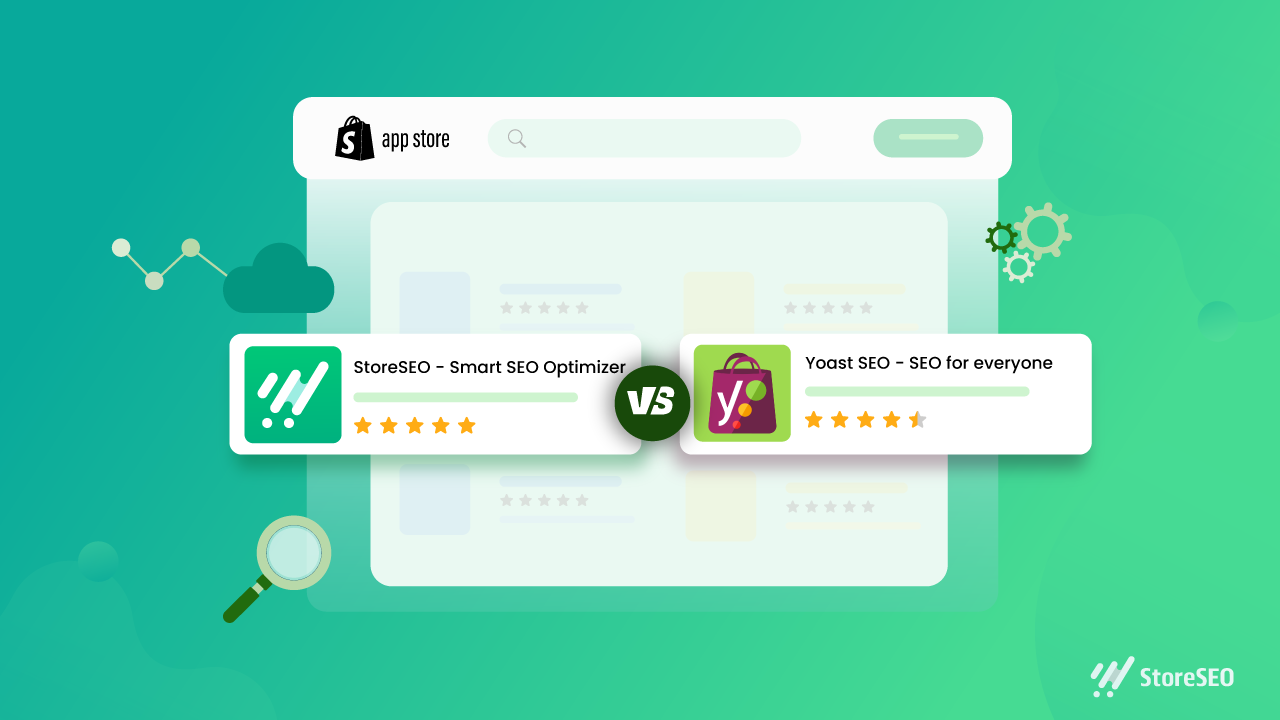
Search engine optimisation (SEO) helps potential customers discover your Shopify store through search engines. Yoast SEO for Shopify is an app designed to make some SEO tasks easier, including improving page content, editing search previews and adding structured data. It can be a useful tool, but it works best as part of a broader strategy that includes useful content, a well-organised store and a good customer experience.

What is Yoast SEO for Shopify?

Yoast SEO for Shopify is an SEO app for Shopify stores. It provides guidance while you work on pages and products, helping you review elements such as page titles, meta descriptions and content. Depending on the app’s current features and your store setup, it can also help with technical SEO and structured data.

It is separate from Yoast SEO for WordPress. Shopify already manages some technical features, such as generating an XML sitemap and creating canonical URLs for many pages. An SEO app complements Shopify’s built-in tools; it does not replace them or automatically guarantee better rankings.

What can Yoast SEO help you with?

Search titles and meta descriptions

Search titles and meta descriptions help describe a page in search results. Yoast can help you draft and review these elements. Aim to make each one accurate, distinctive and appealing to searchers. Include relevant terms naturally, but avoid repeating keywords simply to influence rankings.

Product and collection content

Product and collection pages are central to most online shops. SEO guidance can help you spot opportunities to improve their text, but the most important thing is to give customers information they actually need. Describe a product’s features, materials, sizing, uses and care instructions where relevant. For collection pages, add a concise introduction that explains what shoppers will find.

Readability

Readability checks can highlight long sentences, dense paragraphs or other aspects of copy that may be difficult to follow. Treat these checks as prompts rather than strict rules: clear, natural writing is more valuable than changing good copy just to achieve a particular score.

Structured data

Structured data gives search engines information about the content of a page. Depending on the app’s configuration, Yoast may add structured data to eligible store pages. This can help search engines interpret your products and other content, but it does not guarantee enhanced listings or special placements in search results.

How to use Yoast SEO for Shopify

  1. Install the app from the Shopify App Store. Review its current features, pricing and compatibility before installing.
  2. Check your store settings. Make sure your store name, domain and other business details are correct, and review any guidance provided during setup.
  3. Start with important pages. Prioritise key products, collections and informational pages rather than trying to optimise everything at once.
  4. Review the page title and meta description. Write a clear, accurate summary that reflects the page and gives customers a reason to visit.
  5. Improve the page content. Make descriptions distinctive and helpful. Avoid copying manufacturer text across multiple products.
  6. Check images and links. Use descriptive file names and alternative text where appropriate, and ensure important pages are linked clearly within your store.
  7. Preview and publish your changes. Check how the page appears on your storefront and, where available, in search and social previews.

Best practice for Shopify SEO

  • Do keyword research. Find out how your customers describe the products and problems you serve. Use those insights to shape pages, not to stuff them with repeated phrases.
  • Write original product copy. Helpful details can distinguish your store from competitors selling similar products.
  • Keep your site easy to navigate. Use sensible collections, clear menus and descriptive links so customers and search engines can understand your store’s structure.
  • Optimise images thoughtfully. Use relevant image names and alt text, and make sure files are not unnecessarily large, as page speed affects the shopping experience.
  • Review mobile usability. Check that product information, menus, images and checkout are easy to use on a phone.
  • Monitor performance. Use tools such as Google Search Console and Shopify analytics to track search visibility, traffic and sales. Allow time for changes to be crawled and assessed.

Things to keep in mind

An SEO app can make optimisation more manageable, but it cannot compensate for thin content, confusing navigation or products that do not meet customer needs. Automated recommendations are not always right for every page, so use your judgement and check important changes before publishing.

Also avoid installing several apps that perform the same SEO tasks. Overlapping apps can create duplicated or conflicting metadata and structured data. If you change apps or themes, review key pages afterwards to make sure titles, descriptions and other SEO elements are still working as intended.

Is Yoast SEO for Shopify worth using?

Yoast SEO for Shopify may be useful if you want guided checks and a more structured process for improving your store’s content and search presentation. Its value depends on your needs, budget and how consistently you act on its recommendations. It is not essential for every Shopify store, and installing it alone will not deliver higher rankings.

For the best results, use Yoast as a practical aid: create genuinely useful product and collection pages, keep the store technically sound, and review performance over time. A well-maintained Shopify store gives both customers and search engines a clearer understanding of what you offer.


8 Essential Tips for Optimising Shopify with Yoast SEO

  1. Install the Yoast SEO app from the Shopify App Store.
  2. Write a unique SEO title for every product and page.
  3. Keep meta descriptions clear, concise and inviting.
  4. Use your main search phrase naturally in product copy.
  5. Add descriptive alt text to product images.
  6. Use Yoast’s feedback to improve readability and SEO.
  7. Review SEO titles and descriptions before publishing.
  8. Check redirects when changing product or page URLs.

Install the Yoast SEO app from the Shopify App Store.

To get started with Yoast SEO for Shopify, install the app from the Shopify App Store. Before installing, check that it suits your store’s needs, review its current features and pricing, and confirm it’s compatible with your Shopify setup. Once installed, follow the app’s setup guidance and review its recommendations before making changes to your pages.

Write a unique SEO title for every product and page.

Write a unique SEO title for every product and page in your Shopify store so customers and search engines can quickly understand what each one offers. Include the main topic or product name naturally, and make each title specific to that page rather than reusing a generic template. A clear, accurate title can help your page stand out in search results and attract more relevant visitors.

Keep meta descriptions clear, concise and inviting.

Keep your meta descriptions clear, concise and inviting. Summarise what shoppers will find on the page, highlight a useful benefit and give them a reason to click. Write a unique description for each important product or collection page, use natural language, and avoid awkwardly packing in keywords. Search engines may choose to display different text, but a well-written description can still help your listing stand out in search results.

Use your main search phrase naturally in product copy.

Use your main search phrase naturally in your product copy so customers and search engines can quickly understand what you’re selling. Include it where it fits—such as in the product description or a relevant heading—but prioritise clear, persuasive writing over repetition. Explain the product’s features and benefits in your own words, and use related terms only when they add useful detail. Avoid keyword stuffing, which can make descriptions awkward and less helpful to shoppers.

Add descriptive alt text to product images.

Add descriptive alt text to your product images so people using screen readers can understand what each image shows, and search engines can better interpret its context. Keep the text concise and specific: describe the product and any important visible details, such as its colour, style or material. For example, “Navy blue cotton shirt with a button-down collar” is more useful than “shirt image”. If an image is purely decorative and adds no information, leave the alt text blank where your Shopify theme allows it.

Use Yoast’s feedback to improve readability and SEO.

Use Yoast’s feedback as a guide to make your Shopify content clearer and easier to read. Its suggestions can highlight long sentences, dense paragraphs and opportunities to use relevant search terms naturally. Treat the checks as helpful prompts rather than strict rules: prioritise useful, accurate copy for your customers, and avoid awkward phrasing or keyword stuffing just to improve a score.

Review SEO titles and descriptions before publishing.

Review your SEO titles and meta descriptions before publishing each Shopify page. Make sure the title clearly describes the page and includes the main search term naturally, while the description gives shoppers a concise, accurate reason to click. Keep both unique across your store, avoid keyword stuffing, and check that they read well on search results pages.

Check redirects when changing product or page URLs.

When changing a product or page URL in Shopify, set up a redirect from the old address to the new one. This helps customers who follow an existing link reach the right page and guides search engines to its updated location, reducing the risk of broken links and lost traffic. Check that the redirect works correctly after publishing, and avoid redirecting unrelated URLs to your homepage.

online seo service

Online SEO Service: A Practical Guide to Growing Your Business Visibility

Online SEO Services: How They Help Your Business Grow

When people search online for a product, service or answer, appearing prominently in search results can make a real difference to which businesses they consider. An online SEO service helps improve a website’s visibility in search engines, making it easier for potential customers to find and explore your business.

SEO, or search engine optimisation, is the process of improving a website so that it can attract relevant organic traffic. Unlike paid advertising, organic search listings are not charged per click. However, SEO takes time, expertise and ongoing work to deliver sustainable results.

What does an online SEO service include?

SEO is not a single task. A good service takes a considered approach to the different factors that influence how search engines understand and rank a website. The work may include:

  • SEO audits: Reviewing a website’s structure, content and technical health to identify issues and opportunities.
  • Keyword research: Finding the search terms potential customers use, and understanding what they want when they search.
  • On-page optimisation: Improving page titles, headings, copy, internal links and other elements so pages are clear and relevant.
  • Technical SEO: Addressing factors such as site speed, mobile usability, indexing, redirects and structured data.
  • Content planning: Creating or improving useful pages that respond to real questions and support the customer journey.
  • Local SEO: Helping businesses appear in location-based searches through accurate business details and relevant local content.
  • Performance reporting: Tracking visibility, website traffic and other agreed measures to understand progress.

Why use an online SEO service?

Search engine optimisation brings together technical, creative and analytical skills. Working with an experienced provider can help businesses build a clear plan, prioritise the most important improvements and avoid spending time on changes that are unlikely to make a difference.

An online service can also make collaboration straightforward. Businesses can discuss goals, share information and review progress remotely, without needing to be in the same location as their SEO provider. This can be useful for companies serving customers across a city, the UK or international markets.

Choosing the right SEO provider

SEO providers vary in their methods, experience and approach to communication. Before choosing a service, consider whether the provider:

  • Explains its recommendations in clear, straightforward language.
  • Tailors its approach to your website, audience and business objectives.
  • Sets realistic expectations and does not promise guaranteed rankings.
  • Uses ethical, search-engine-compliant techniques.
  • Provides clear reporting and explains what the results mean.
  • Agrees the scope of work, timescales and fees in advance.

Be cautious of claims that a website can reach the top of search results overnight. Rankings depend on many factors, including competition, the condition of a website and changes in search behaviour. Responsible SEO focuses on steady improvements and long-term value rather than shortcuts.

How to measure SEO progress

Rankings are one part of the picture, but they do not tell the whole story. Useful measures may include organic traffic, visibility for relevant searches, enquiries, sales and the performance of key landing pages. The right measures depend on what the business wants its website to achieve.

It is also important to allow enough time for SEO work to take effect. Some technical improvements may be noticed relatively quickly, while building visibility for competitive searches can take longer. Regular reviews help show what is working and where the strategy may need to adapt.

Make SEO part of your wider digital strategy

SEO works best when it supports a useful, accessible website and a positive customer experience. Clear information, helpful content, simple navigation and a mobile-friendly design can all contribute to making a site more effective for visitors as well as search engines.

Whether you run a local business, an online shop or a growing service company, an online SEO service can help you identify opportunities to improve your search visibility. Start with clear business goals, choose a provider you trust and focus on delivering genuine value to the people you want to reach.


7 Essential Tips for Choosing the Right Online SEO Service

  1. Set clear SEO goals before choosing a service.
  2. Check the provider’s reviews and case studies.
  3. Ask for a tailored strategy, not a one-size-fits-all package.
  4. Prioritise useful content and relevant keywords.
  5. Make sure technical SEO and mobile usability are covered.
  6. Request regular reports with clear results.
  7. Avoid providers promising instant rankings.

Set clear SEO goals before choosing a service.

Before choosing an online SEO service, decide what you want SEO to achieve for your business. You might aim to increase relevant website visits, attract more local enquiries, improve sales from organic search or build visibility for specific products and services. Clear goals make it easier to compare providers, agree on the right strategy and measure progress using meaningful results—not just rankings or traffic alone.

Check the provider’s reviews and case studies.

Before choosing an online SEO service, take time to check the provider’s reviews and case studies. Reviews can offer insight into how the company communicates and works with clients, while case studies may show how it has approached challenges and measured results. Look for examples relevant to your industry or goals, and consider whether the outcomes are explained clearly and credibly. Remember that past performance cannot guarantee future results, so use this information alongside a conversation about your own needs and expectations.

Ask for a tailored strategy, not a one-size-fits-all package.

Ask for a tailored SEO strategy rather than a one-size-fits-all package. Every business has different goals, customers, competitors and website needs, so an effective plan should reflect your specific situation. A reputable provider will take time to understand your business, assess your website and explain which activities are most likely to support your objectives. This helps ensure your budget is focused on relevant work, with clear priorities and measures of progress.

Prioritise useful content and relevant keywords.

Prioritise useful content and relevant keywords by creating pages that answer your audience’s questions and address their needs. Research the terms potential customers actually use, then include them naturally in headings, page titles and copy. Avoid keyword stuffing: clear, helpful content is more valuable to readers and gives search engines a better understanding of each page.

Make sure technical SEO and mobile usability are covered.

Make sure your online SEO service covers both technical SEO and mobile usability. A technically sound website is easier for search engines to crawl and index, while fast loading times, secure connections and a clear site structure help create a better experience for visitors. As many people browse on smartphones, your site should also be responsive, easy to navigate and simple to use on smaller screens. Regular checks can uncover problems early and help ensure your website works well for both search engines and potential customers.

Request regular reports with clear results.

Request regular SEO reports that clearly show what work has been completed and how it is performing. Look for meaningful measures such as organic traffic, visibility for relevant search terms, enquiries and sales—not just rankings. A good report should explain the results in plain English, highlight progress and challenges, and set out the next steps so you can see how the service is contributing to your business goals.

Avoid providers promising instant rankings.

Avoid SEO providers that promise instant rankings or guaranteed positions in search results. Search performance depends on many factors, including your website, competition and ongoing changes to search engines, so meaningful improvements usually take time. A trustworthy provider will set realistic expectations, explain their approach clearly and focus on sustainable progress—such as attracting relevant visitors and generating more enquiries—rather than quick fixes.