Archives October 2026

search engine optimization marketing services

A Guide to Search Engine Optimization Marketing Services

Search Engine Optimisation Marketing Services: A Practical Guide

When people need a product, service or answer, they often begin with a search engine. Search engine optimisation (SEO) marketing services help businesses improve their visibility in organic search results, attract relevant visitors and make it easier for potential customers to take the next step.

SEO is not a quick fix or a guarantee of first-place rankings. It is an ongoing process that combines technical improvements, useful content and a clear understanding of what your audience is searching for. The right strategy can support long-term growth by helping your website reach people with genuine interest in what you offer.

What are SEO marketing services?

SEO marketing services are activities designed to improve a website’s performance in unpaid search results. They may be delivered by an in-house team, an agency or an independent consultant, and are usually tailored to a business’s goals, audience and level of competition.

Depending on your needs, an SEO programme may include:

  • SEO audits: Reviewing a website to identify technical issues, content gaps and opportunities to improve visibility.
  • Keyword and audience research: Finding the terms people use when searching, and understanding the intent behind those searches.
  • On-page optimisation: Improving page titles, headings, internal links, copy and other elements so pages are clear to visitors and search engines.
  • Technical SEO: Addressing issues such as crawling, indexing, site speed, mobile usability and structured data.
  • Content strategy: Planning and creating useful pages that answer relevant questions and support the customer journey.
  • Local SEO: Helping businesses improve their visibility in location-based searches, including local listings and map results.
  • Digital PR and link earning: Building awareness and authority through useful resources, outreach and legitimate editorial coverage.
  • Measurement and reporting: Tracking performance and explaining what the data means for your business.

How SEO supports marketing goals

SEO can connect your business with people at different stages of their decision-making process. Some may be researching a problem, while others are comparing providers or looking for a specific product. By creating relevant pages for these needs, a business can earn visibility across more of the customer journey.

Organic search can also complement other marketing channels. Search insights may inform paid advertising, content marketing and website improvements. In turn, a strong website experience can help visitors who arrive through search, social media, referrals or email.

Unlike paid advertising, organic visibility does not usually stop as soon as a campaign budget is paused. However, SEO requires ongoing attention: competitors change their websites, search behaviour shifts and search engines update how they present results.

What does an SEO campaign involve?

Set clear objectives

Effective work starts with business goals. These might include generating more qualified enquiries, increasing online sales, growing awareness in a particular area or improving the performance of important service pages. Rankings can be useful to monitor, but they should not be treated as the only measure of success.

Review the website and its market

An initial review looks at the website’s current performance, its technical health, existing content and competitors. It should also consider the audience: what they need, the language they use and the information they expect before making a decision.

Prioritise improvements

Not every recommendation needs to be implemented at once. A good plan prioritises changes according to their likely impact, effort and relevance to the business. Fixing a barrier that prevents important pages from being indexed, for example, may take precedence over minor copy edits.

Improve content and website experience

Pages should be helpful, accurate and easy to navigate. Content should answer the reader’s question clearly rather than repeat keywords unnaturally. Strong page structure, descriptive headings, useful internal links and clear calls to action can make the experience better for both visitors and search engines.

Measure, learn and refine

SEO performance is assessed over time using data such as organic visits, search visibility, engagement, enquiries and sales. Results should be interpreted in context: seasonal changes, website updates and wider market conditions can all affect performance. Regular reviews help identify what is working and where to focus next.

How to choose an SEO provider

SEO providers vary in their services, specialisms and working methods. Before choosing one, ask how they will understand your business, what work they recommend and how they will report progress. A reliable provider should be able to explain their approach in plain English and distinguish realistic expectations from guarantees.

It is also worth asking:

  • What will be included in the proposed service?
  • Who will carry out the work, and how will they work with your team?
  • How will success be measured beyond keyword rankings?
  • How often will progress and next steps be discussed?
  • Will you retain access to your website, analytics and search accounts?

Be cautious of promises of guaranteed rankings, instant results or large numbers of links without a clear explanation of how they will be earned. Ethical SEO focuses on sustainable improvements and avoids tactics that could put a website’s reputation or search visibility at risk.

SEO is an investment in long-term visibility

Search engine optimisation marketing services can help businesses make their websites more discoverable, useful and effective. The best results come from a strategy that connects technical quality, relevant content and a positive user experience with measurable business objectives.

Whether you are building a new website or improving an established one, start with a clear understanding of your audience and priorities. From there, consistent work and thoughtful measurement can turn organic search into a valuable part of your wider marketing strategy.


Essential FAQs About Search Engine Optimisation Marketing Services in the UK

  1. What are search engine optimisation marketing services?
  2. What services are included in an SEO marketing campaign?
  3. How much do SEO marketing services cost in the UK?
  4. How long does SEO take to deliver results?
  5. How can SEO marketing services help my business?
  6. How do I choose the right SEO agency or consultant?
  7. How do SEO providers measure and report results?
  8. Can an SEO provider guarantee first-page rankings?
  9. What is the difference between SEO and paid search advertising?

What are search engine optimisation marketing services?

Search engine optimisation (SEO) marketing services help improve a website’s visibility in unpaid search results and attract relevant visitors. They can include technical website audits, keyword research, on-page optimisation, content creation, local SEO and performance reporting. The specific services are tailored to a business’s goals and audience, with the aim of making its website easier to find, more useful to visitors and better able to generate enquiries or sales.

What services are included in an SEO marketing campaign?

An SEO marketing campaign may include a website audit, keyword and audience research, technical SEO, on-page optimisation, content planning and creation, local SEO, and digital PR or link-building. It may also cover competitor analysis, conversion improvements, and regular performance reporting. The exact mix depends on your website, industry and goals, with work prioritised to improve search visibility and attract relevant visitors.

How much do SEO marketing services cost in the UK?

The cost of SEO marketing services in the UK depends on your goals, industry, competition and the amount of work required. Small businesses might pay around £500–£2,000 per month, while more competitive campaigns can cost £2,000–£5,000 or more; one-off SEO audits and consultancy are usually priced separately. Ask providers for a clear breakdown of deliverables, reporting and fees, and be cautious of unusually cheap offers or guaranteed rankings.

How long does SEO take to deliver results?

SEO typically takes several months to show meaningful results, although the timeframe varies depending on your website’s current condition, competition, industry and the work involved. Technical fixes or improvements to existing pages may have an impact sooner, while building authority and gaining visibility for competitive searches often takes longer. A reputable SEO provider will set realistic expectations, track progress using relevant measures such as qualified traffic and enquiries, and refine the strategy over time. SEO is an ongoing investment rather than a one-off fix, so results are best assessed over the long term.

How can SEO marketing services help my business?

SEO marketing services can help your business appear more prominently in relevant search results, making it easier for potential customers to find your products or services. By improving your website’s technical performance, content and local visibility, SEO can attract more qualified visitors, build trust and support enquiries or sales over time. Results depend on factors such as your industry, competition and website, so SEO is best viewed as a long-term investment rather than a guarantee of instant rankings.

How do I choose the right SEO agency or consultant?

Choose an SEO agency or consultant by first defining your goals, such as increasing qualified enquiries, online sales or local visibility. Look for relevant experience and case studies, then ask how they would assess your website, prioritise work and measure results. A trustworthy provider will explain their approach clearly, offer transparent reporting and set realistic expectations; be wary of guaranteed rankings, instant results or vague promises. It is also important to find someone who communicates well and understands your business, audience and budget.

How do SEO providers measure and report results?

SEO providers measure results against agreed business goals, using metrics such as organic traffic, search visibility, relevant keyword rankings, leads, sales and conversion rates. They may also monitor technical health and how visitors engage with key pages. Regular reports should explain what has changed, what the data means for your business and which actions are planned next, rather than simply listing numbers. Results are best assessed over time, as SEO improvements can take months to build and may be affected by seasonality, competition and search engine updates.

Can an SEO provider guarantee first-page rankings?

No reputable SEO provider can guarantee first-page rankings. Search results are influenced by many factors, including competition, search engine algorithms and changes in how people search, so rankings cannot be controlled or promised. A trustworthy provider should explain its approach, set realistic expectations and focus on sustainable improvements—such as better technical performance, useful content and more qualified organic traffic—rather than guaranteed positions.

What is the difference between SEO and paid search advertising?

SEO improves a website’s visibility in organic search results through activities such as creating useful content, improving site performance and earning reputable links. Paid search advertising places sponsored listings in search results, usually charging the advertiser when someone clicks. SEO can build lasting visibility over time, but results are gradual and not guaranteed; paid search can generate traffic more quickly, but visibility generally stops when the campaign budget ends. Many businesses use both to support their marketing goals.
moz local seo

Moz Local SEO: A Practical Guide for UK Businesses

Moz Local SEO: A Practical Guide for Local Businesses

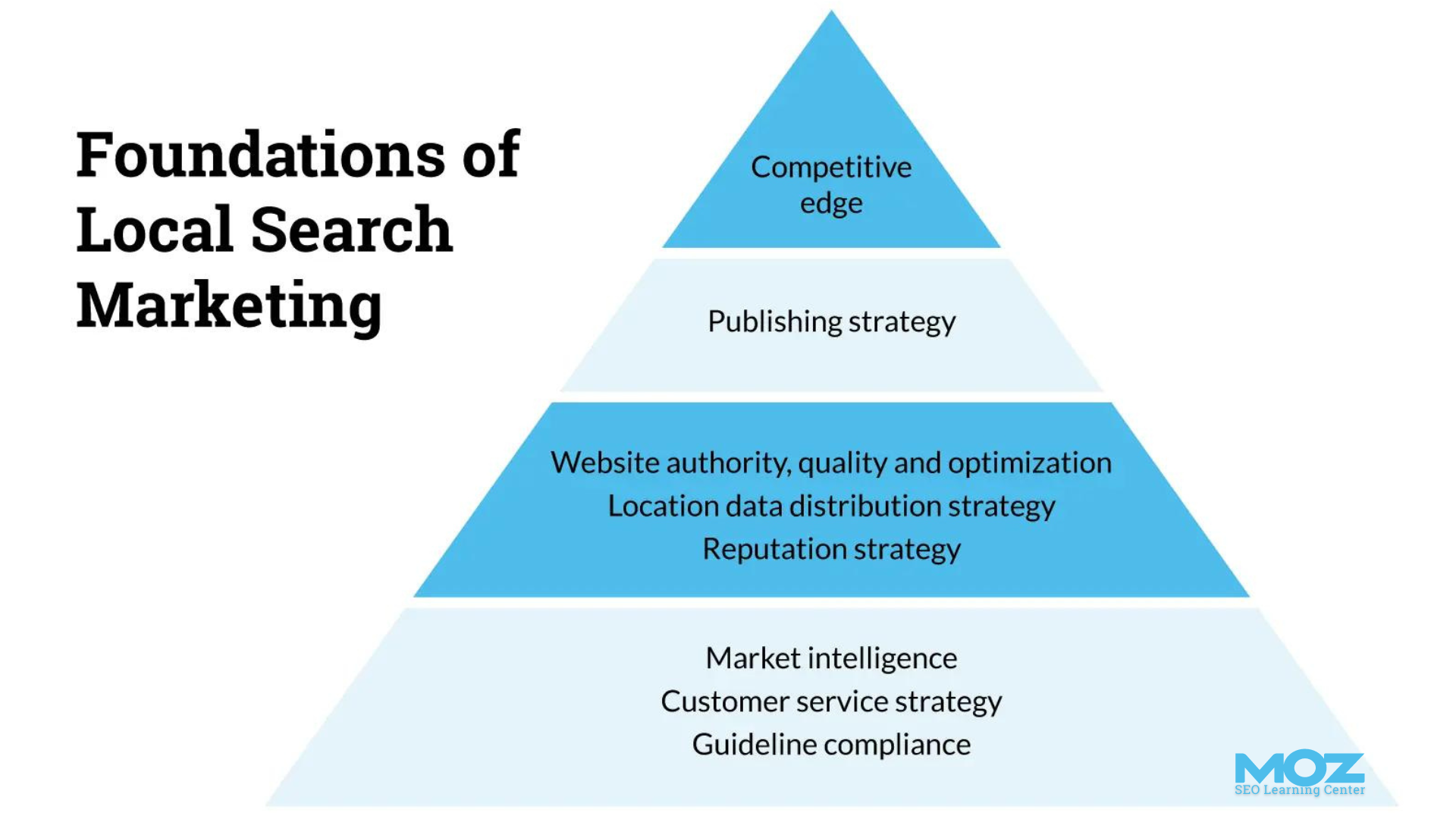
For businesses that rely on customers in a particular town, city or region, appearing in local search results can make a real difference. Moz Local is a tool designed to help businesses manage their online listings and strengthen important parts of their local SEO. It can help keep business information consistent across supported directories, while giving you a clearer view of your local presence.

This guide explains what Moz Local does, how it fits into a broader local SEO strategy and what UK businesses should consider before using it.

What is Moz Local?

Moz Local is a local listing management platform. It helps businesses manage key details such as their name, address, telephone number, website and opening hours across selected online directories and platforms. Depending on the features available to your account and the platforms supported, it may also help you monitor listings, identify inconsistencies and manage certain aspects of your online reputation.

These details are often referred to as NAP information: name, address and phone number. When customers find conflicting details online, they may be unsure which information is correct. Accurate, consistent listings make it easier for people to contact or visit your business.

Why local listings matter for SEO

Local search visibility is influenced by a range of factors. These can include the relevance of a business to a search, its distance from the searcher and how prominent or well-established it appears online. Listings are one part of this picture, alongside your website, reviews, links and the quality of your business information.

Consistent listings can help customers find accurate details and may support search engines as they assess information about your business. However, listing management alone cannot guarantee higher rankings. Local SEO works best as an ongoing combination of accurate business profiles, useful website content and a strong customer experience.

How Moz Local can support your local SEO

Managing business information

When a business has several locations, updating each listing manually can take time. Moz Local can provide a central place to manage details for supported platforms. This can be particularly useful when opening hours change, a telephone number is updated or a business moves premises.

Finding listing inconsistencies

Older or incomplete listings can remain online long after a business has changed its details. Moz Local may help you identify information that needs attention across the platforms it monitors. Review these findings carefully: some listings may be outdated, duplicated or associated with a different business with a similar name.

Monitoring online presence

Depending on the features available, the platform can help you keep track of listing status and other local presence data. Regular monitoring makes it easier to spot issues before they cause confusion for customers.

Supporting review management

Customer reviews can influence how people choose a local business. Some local marketing tools offer ways to monitor or manage reviews, though the exact capabilities can vary. Responding thoughtfully to feedback is important, whether a review is positive or negative. Never offer incentives in exchange for favourable reviews or post reviews that are not from genuine customers.

Using Moz Local: a practical checklist

  1. Check your core details. Confirm that your business name, address, telephone number, website and opening hours are correct.
  2. Use consistent information. Keep your business details aligned across your website, Google Business Profile and relevant directories. Use the same real-world business name rather than adding extra keywords.
  3. Review each location separately. If you operate from multiple premises, make sure each location has accurate contact details and appropriate local information.
  4. Investigate duplicates carefully. Do not remove a listing unless you are confident it refers to your business and understand the consequences. For complicated cases, follow the directory’s own process.
  5. Keep profiles up to date. Add accurate opening hours, categories, services and other information where the platform allows it.
  6. Measure outcomes. Track calls, visits, enquiries and relevant website activity, not just listing counts or ranking positions.

What UK businesses should keep in mind

Not every directory is equally important for every business. A restaurant, tradesperson, professional practice and online retailer may need different listings and local marketing priorities. Focus on platforms that your customers use and that are relevant to your industry and location.

For many UK businesses, Google Business Profile is a key starting point. Apple Maps, Bing Places and reputable industry or local directories may also be relevant. Check the current requirements of each platform, as features and policies can change. Make sure your address and service area accurately reflect how your business operates; do not create a shopfront address where customers cannot visit you.

Businesses with more than one location should provide genuinely useful, location-specific information on their websites. A collection of near-identical pages with only the town name changed is unlikely to serve customers well. Each location page should clearly explain what is available there and how people can get in touch.

Moz Local is one part of a wider strategy

Local listing software can save time, but it is not a complete local SEO solution. A well-rounded approach should also include:

  • a technically sound, mobile-friendly website;
  • clear pages describing your products or services and the areas you serve;
  • a fully completed and accurate Google Business Profile;
  • genuine reviews and professional responses to customer feedback;
  • relevant links and mentions from trusted local or industry websites; and
  • regular measurement of enquiries, calls and other meaningful results.

Is Moz Local right for your business?

Moz Local may be useful if you manage several listings, operate from multiple locations or want a more organised way to check your business information across supported platforms. A smaller business with one location and few listing changes may be able to manage its essential profiles manually.

Before choosing any tool, check its current platform coverage, features and costs, and compare them with the amount of work it will save. Also consider who will review the data and respond to issues. Software can help with organisation, but accurate information and good customer service still depend on the business.

Conclusion

Moz Local can help UK businesses organise and monitor important online listings. Consistent, accurate information makes it easier for customers to find and contact you, and can support your wider local SEO efforts. For the best results, treat listing management as one part of a broader strategy that includes a useful website, a complete business profile, genuine customer reviews and ongoing measurement.


5 Moz Local SEO Tips to Boost Your Business’s Local Visibility

  1. Keep your business name, address and phone number consistent across listings.
  2. Use Moz Local to find and fix duplicate listings.
  3. Choose accurate primary and secondary business categories.
  4. Complete every listing with opening hours, website and photos.
  5. Monitor reviews and respond promptly and professionally.

Keep your business name, address and phone number consistent across listings.

Keep your business name, address and phone number (NAP) consistent across all online listings, including directories, social media profiles and your website. Use the same accurate format wherever your business appears, and update any outdated details promptly. Consistent information helps customers contact or visit you with confidence and makes it easier for search engines to match listings to your business. Moz Local can help you identify and manage discrepancies across supported platforms.

Use Moz Local to find and fix duplicate listings.

Use Moz Local to identify duplicate listings that may show conflicting or outdated details about your business. Review each result carefully to confirm it refers to your business, then follow the relevant directory’s process to remove or merge duplicates and update the remaining listing with your correct name, address, telephone number and opening hours. Keeping this information consistent helps customers find the right details and supports a clearer local online presence.

Choose accurate primary and secondary business categories.

Choose your primary and secondary business categories carefully in Moz Local and across your business listings. Your primary category should describe your main service or offering as precisely as possible, while secondary categories can cover other important services you provide. Accurate categories help search engines and potential customers understand what your business does, improving your chances of appearing in relevant local searches. Avoid choosing categories simply because they seem popular—only select those that genuinely reflect your business.

Complete every listing with opening hours, website and photos.

Complete every listing with accurate opening hours, your website address and high-quality photos. Clear, up-to-date details help customers decide when to visit and how to find out more, while photos give them a better sense of your business. Check listings regularly—especially around bank holidays or seasonal changes—and make sure the information is consistent across all platforms.

Monitor reviews and respond promptly and professionally.

Monitor reviews across the platforms where customers find your business, and respond promptly, politely and professionally to both praise and criticism. Thank reviewers for positive feedback, and address negative comments calmly by acknowledging their concerns and offering a practical way to resolve the issue. Regular, thoughtful responses show that you value customer feedback and can help build trust with potential customers.

Mobile Search Engine Optimisation: A Practical Guide to Better Rankings and User Experience

Mobile Search Engine Optimisation: A Practical Guide

Mobile search engine optimisation (SEO) is the process of making a website easy to find, use and understand on smartphones and tablets. It brings together technical SEO, useful content and a smooth mobile experience. As many people search while on the move, a site that works well on smaller screens can help visitors find information, contact a business or complete a purchase.

Why mobile SEO matters

Search engines need to crawl and understand your pages, while visitors need to use them without pinching, zooming or waiting for them to load. A poorly designed mobile site can make it difficult to read content, follow links or complete forms. This may lead people to leave before finding what they need.

Google uses the mobile version of a site for indexing and ranking through mobile-first indexing. This makes it important to ensure that the mobile version contains the same essential content and SEO signals as the desktop version. A mobile-friendly design alone is not enough if key information is missing or difficult for search engines to access.

Use a responsive design

Responsive design allows a website’s layout to adapt to different screen sizes. It is generally the simplest approach to manage because the same page and URL serve desktop, tablet and mobile visitors.

Check that your pages:

  • Fit the screen without horizontal scrolling.
  • Use readable text sizes and clear spacing.
  • Have buttons and links that are easy to tap.
  • Display images and videos correctly on smaller screens.
  • Keep navigation simple and straightforward.

Make sure mobile content is complete

Mobile pages should provide the information visitors need, not a reduced version that omits important details. Keep useful headings, product information, internal links, images and other key content available to mobile users. Search engines may have less context if essential material is hidden or removed from the mobile version.

Use clear headings to organise information, and put the most useful content where visitors can find it easily. Avoid making people work through unnecessary pop-ups or lengthy introductions before they can reach the answer to their search.

Improve page speed and Core Web Vitals

Mobile connections and devices vary, so pages should be built to load efficiently. Compress images, use modern image formats where appropriate, remove unnecessary scripts and limit features that add weight without improving the experience. Caching and a content delivery network may also help, depending on how your site is hosted.

Core Web Vitals are metrics used to assess aspects of page experience:

  • Largest Contentful Paint (LCP): how quickly the main content appears.
  • Interaction to Next Paint (INP): how quickly a page responds to user interactions.
  • Cumulative Layout Shift (CLS): how much the page layout moves unexpectedly.

Use tools such as Google Search Console and PageSpeed Insights to identify issues. Field data reflects real user experiences, while laboratory tests can help diagnose specific problems. Treat these metrics as part of a wider effort to make pages faster and easier to use, rather than as a substitute for useful content.

Optimise the mobile user experience

Good mobile SEO depends on more than technical settings. Consider how people use your site on a small screen. Make important actions—such as calling, booking or buying—easy to find. Keep forms short, use suitable input types for fields such as email addresses and telephone numbers, and show clear error messages when something goes wrong.

Make sure menus are easy to open and close, links are not crowded together, and interactive elements work with touch as well as a keyboard. Avoid intrusive interstitials that cover the content people have come to see.

Support local mobile searches

Mobile searches often have local intent, such as looking for a nearby service or checking opening times. Businesses with a physical location should keep their name, address and telephone number consistent across their website and relevant online listings. Create useful location pages where appropriate, and keep opening hours and contact details up to date.

Make it easy for visitors to act on local information. A clear telephone link, directions and booking details can help someone move from a search to a visit or enquiry.

Use structured data carefully

Structured data helps search engines interpret information on a page. Depending on your business and content, this might include details about products, articles, events or local businesses. Make sure the markup is accurate and reflects content that is visible to visitors. Structured data can make pages eligible for enhanced search results, but it does not guarantee that those results will appear.

Test your mobile pages regularly

Do not rely on checking a single page on one phone. Test key page types—such as product pages, service pages, articles and contact forms—on different screen sizes. You can use Google Search Console to review indexing and experience reports, and analytics tools to understand how mobile visitors use your site.

Look for practical signs of friction: pages that are slow, forms that are abandoned, buttons that are rarely used or important content that visitors struggle to find. Combine these observations with feedback from real users to decide what to improve.

A mobile SEO checklist

  • Use a responsive design that works across screen sizes.
  • Keep important content and SEO signals consistent between mobile and desktop.
  • Make pages quick to load and stable while they load.
  • Use readable text, clear navigation and accessible tap targets.
  • Make forms and key actions simple to complete.
  • Check local details and structured data for accuracy.
  • Test real page templates and monitor performance over time.

Conclusion

Effective mobile SEO starts with a simple goal: make it easy for people and search engines to access and understand your website on a mobile device. A responsive layout, complete content, fast pages and clear user journeys provide a strong foundation. Regular testing helps you spot problems and improve the experience as your audience and technology change.


Top 5 Tips for Optimising Mobile Search Engine Performance

  1. Use responsive design that adapts to every screen size.
  2. Improve mobile page speed by compressing images.
  3. Make text readable without zooming.
  4. Keep menus and buttons easy to tap.
  5. Check mobile usability in Google Search Console.

Use responsive design that adapts to every screen size.

Use responsive design so your website automatically adjusts to different screen sizes, from smartphones and tablets to desktop monitors. Text, images, menus and page layouts should remain clear and easy to use without horizontal scrolling or excessive zooming. A consistent experience across devices helps visitors find what they need and makes it easier to maintain your site.

Improve mobile page speed by compressing images.

Improve mobile page speed by compressing images before uploading them to your website. Large image files can take longer to load, particularly on slower mobile connections, so resizing images to the dimensions they’ll actually be displayed at and choosing efficient formats such as WebP can reduce file sizes without noticeably affecting quality. Faster-loading pages make it easier for visitors to find what they need and can support a better overall mobile experience.

Make text readable without zooming.

Make sure visitors can read your mobile content without pinching or zooming. Use a comfortably sized font, clear line spacing and strong contrast between text and background, and check that paragraphs fit the screen without horizontal scrolling. Readable text makes your pages easier to use and helps people find the information they need.

Keep menus and buttons easy to tap.

Keep menus and buttons easy to tap on smaller screens by making them large enough to select comfortably and leaving plenty of space between nearby links. Use clear labels and place important actions where visitors can find them without excessive scrolling. This makes your website easier to navigate, reduces accidental taps and helps mobile users complete tasks with less frustration.

Check mobile usability in Google Search Console.

Use Google Search Console to check how well your site works for mobile visitors. Review the available page experience and Core Web Vitals reports, and inspect individual URLs to identify issues that may affect usability or indexing. Fix problems such as slow-loading pages, unstable layouts or content that is difficult to access, then check the affected pages again after making changes. Regular monitoring can help you spot issues early and provide a smoother experience on smartphones and tablets.

yoast seo for shopify

Yoast SEO for Shopify: A Practical Guide to Optimising Your Online Store

Yoast SEO for Shopify: A Practical Guide

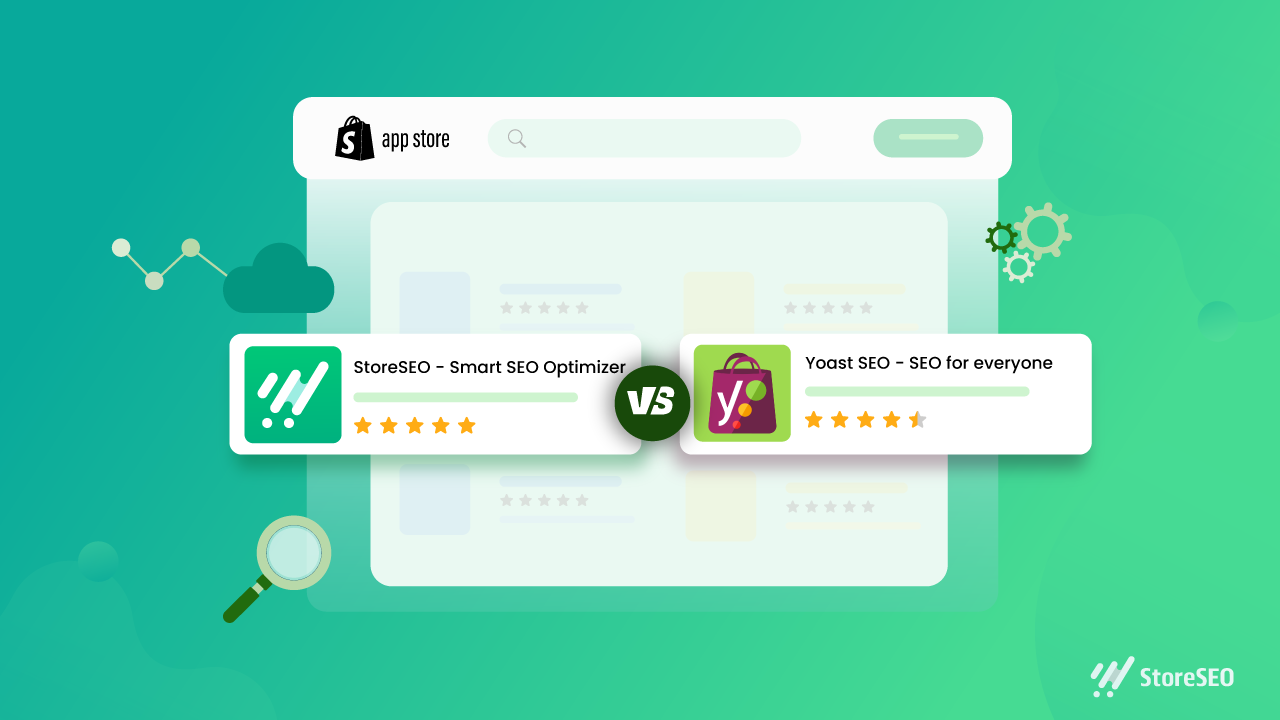
Search engine optimisation (SEO) helps potential customers discover your Shopify store through search engines. Yoast SEO for Shopify is an app designed to make some SEO tasks easier, including improving page content, editing search previews and adding structured data. It can be a useful tool, but it works best as part of a broader strategy that includes useful content, a well-organised store and a good customer experience.

What is Yoast SEO for Shopify?

Yoast SEO for Shopify is an SEO app for Shopify stores. It provides guidance while you work on pages and products, helping you review elements such as page titles, meta descriptions and content. Depending on the app’s current features and your store setup, it can also help with technical SEO and structured data.

It is separate from Yoast SEO for WordPress. Shopify already manages some technical features, such as generating an XML sitemap and creating canonical URLs for many pages. An SEO app complements Shopify’s built-in tools; it does not replace them or automatically guarantee better rankings.

What can Yoast SEO help you with?

Search titles and meta descriptions

Search titles and meta descriptions help describe a page in search results. Yoast can help you draft and review these elements. Aim to make each one accurate, distinctive and appealing to searchers. Include relevant terms naturally, but avoid repeating keywords simply to influence rankings.

Product and collection content

Product and collection pages are central to most online shops. SEO guidance can help you spot opportunities to improve their text, but the most important thing is to give customers information they actually need. Describe a product’s features, materials, sizing, uses and care instructions where relevant. For collection pages, add a concise introduction that explains what shoppers will find.

Readability

Readability checks can highlight long sentences, dense paragraphs or other aspects of copy that may be difficult to follow. Treat these checks as prompts rather than strict rules: clear, natural writing is more valuable than changing good copy just to achieve a particular score.

Structured data

Structured data gives search engines information about the content of a page. Depending on the app’s configuration, Yoast may add structured data to eligible store pages. This can help search engines interpret your products and other content, but it does not guarantee enhanced listings or special placements in search results.

How to use Yoast SEO for Shopify

  1. Install the app from the Shopify App Store. Review its current features, pricing and compatibility before installing.
  2. Check your store settings. Make sure your store name, domain and other business details are correct, and review any guidance provided during setup.
  3. Start with important pages. Prioritise key products, collections and informational pages rather than trying to optimise everything at once.
  4. Review the page title and meta description. Write a clear, accurate summary that reflects the page and gives customers a reason to visit.
  5. Improve the page content. Make descriptions distinctive and helpful. Avoid copying manufacturer text across multiple products.
  6. Check images and links. Use descriptive file names and alternative text where appropriate, and ensure important pages are linked clearly within your store.
  7. Preview and publish your changes. Check how the page appears on your storefront and, where available, in search and social previews.

Best practice for Shopify SEO

  • Do keyword research. Find out how your customers describe the products and problems you serve. Use those insights to shape pages, not to stuff them with repeated phrases.
  • Write original product copy. Helpful details can distinguish your store from competitors selling similar products.
  • Keep your site easy to navigate. Use sensible collections, clear menus and descriptive links so customers and search engines can understand your store’s structure.
  • Optimise images thoughtfully. Use relevant image names and alt text, and make sure files are not unnecessarily large, as page speed affects the shopping experience.
  • Review mobile usability. Check that product information, menus, images and checkout are easy to use on a phone.
  • Monitor performance. Use tools such as Google Search Console and Shopify analytics to track search visibility, traffic and sales. Allow time for changes to be crawled and assessed.

Things to keep in mind

An SEO app can make optimisation more manageable, but it cannot compensate for thin content, confusing navigation or products that do not meet customer needs. Automated recommendations are not always right for every page, so use your judgement and check important changes before publishing.

Also avoid installing several apps that perform the same SEO tasks. Overlapping apps can create duplicated or conflicting metadata and structured data. If you change apps or themes, review key pages afterwards to make sure titles, descriptions and other SEO elements are still working as intended.

Is Yoast SEO for Shopify worth using?

Yoast SEO for Shopify may be useful if you want guided checks and a more structured process for improving your store’s content and search presentation. Its value depends on your needs, budget and how consistently you act on its recommendations. It is not essential for every Shopify store, and installing it alone will not deliver higher rankings.

For the best results, use Yoast as a practical aid: create genuinely useful product and collection pages, keep the store technically sound, and review performance over time. A well-maintained Shopify store gives both customers and search engines a clearer understanding of what you offer.


8 Essential Tips for Optimising Shopify with Yoast SEO

  1. Install the Yoast SEO app from the Shopify App Store.
  2. Write a unique SEO title for every product and page.
  3. Keep meta descriptions clear, concise and inviting.
  4. Use your main search phrase naturally in product copy.
  5. Add descriptive alt text to product images.
  6. Use Yoast’s feedback to improve readability and SEO.
  7. Review SEO titles and descriptions before publishing.
  8. Check redirects when changing product or page URLs.

Install the Yoast SEO app from the Shopify App Store.

To get started with Yoast SEO for Shopify, install the app from the Shopify App Store. Before installing, check that it suits your store’s needs, review its current features and pricing, and confirm it’s compatible with your Shopify setup. Once installed, follow the app’s setup guidance and review its recommendations before making changes to your pages.

Write a unique SEO title for every product and page.

Write a unique SEO title for every product and page in your Shopify store so customers and search engines can quickly understand what each one offers. Include the main topic or product name naturally, and make each title specific to that page rather than reusing a generic template. A clear, accurate title can help your page stand out in search results and attract more relevant visitors.

Keep meta descriptions clear, concise and inviting.

Keep your meta descriptions clear, concise and inviting. Summarise what shoppers will find on the page, highlight a useful benefit and give them a reason to click. Write a unique description for each important product or collection page, use natural language, and avoid awkwardly packing in keywords. Search engines may choose to display different text, but a well-written description can still help your listing stand out in search results.

Use your main search phrase naturally in product copy.

Use your main search phrase naturally in your product copy so customers and search engines can quickly understand what you’re selling. Include it where it fits—such as in the product description or a relevant heading—but prioritise clear, persuasive writing over repetition. Explain the product’s features and benefits in your own words, and use related terms only when they add useful detail. Avoid keyword stuffing, which can make descriptions awkward and less helpful to shoppers.

Add descriptive alt text to product images.

Add descriptive alt text to your product images so people using screen readers can understand what each image shows, and search engines can better interpret its context. Keep the text concise and specific: describe the product and any important visible details, such as its colour, style or material. For example, “Navy blue cotton shirt with a button-down collar” is more useful than “shirt image”. If an image is purely decorative and adds no information, leave the alt text blank where your Shopify theme allows it.

Use Yoast’s feedback to improve readability and SEO.

Use Yoast’s feedback as a guide to make your Shopify content clearer and easier to read. Its suggestions can highlight long sentences, dense paragraphs and opportunities to use relevant search terms naturally. Treat the checks as helpful prompts rather than strict rules: prioritise useful, accurate copy for your customers, and avoid awkward phrasing or keyword stuffing just to improve a score.

Review SEO titles and descriptions before publishing.

Review your SEO titles and meta descriptions before publishing each Shopify page. Make sure the title clearly describes the page and includes the main search term naturally, while the description gives shoppers a concise, accurate reason to click. Keep both unique across your store, avoid keyword stuffing, and check that they read well on search results pages.

Check redirects when changing product or page URLs.

When changing a product or page URL in Shopify, set up a redirect from the old address to the new one. This helps customers who follow an existing link reach the right page and guides search engines to its updated location, reducing the risk of broken links and lost traffic. Check that the redirect works correctly after publishing, and avoid redirecting unrelated URLs to your homepage.

seo consultant specialist

SEO Consultant Specialist: A Guide to Growing Your Search Visibility

What Does an SEO Consultant Specialist Do?

A strong online presence can help a business reach new customers, build credibility and grow over time. But appearing in search results is not simply a matter of adding a few keywords to a website. Search engine optimisation (SEO) involves a range of technical, creative and analytical tasks. An SEO consultant specialist helps businesses understand those tasks and develop a practical plan to improve their visibility in organic search.

What is an SEO consultant specialist?

An SEO consultant specialist is a professional who reviews a website’s search performance and recommends or carries out improvements. Their work may cover technical SEO, content, keyword research, local visibility and link-related activities. The exact role varies: some consultants provide strategic advice, while others work alongside a client’s team to implement changes and measure the results.

The aim is not just to attract more visitors. Effective SEO focuses on reaching relevant people and making it easier for them to find useful information, products or services.

What services can an SEO specialist provide?

SEO audits

An audit examines how well a website is performing from a search perspective. It may identify issues such as slow-loading pages, broken links, duplicate content, poor internal linking or pages that search engines struggle to access. An audit should prioritise findings according to their likely impact and the effort needed to address them.

Keyword and search-intent research

Keyword research helps reveal the words and questions people use when looking for a business, product or service. A specialist also considers search intent: what someone is hoping to achieve when they make a particular search. This helps shape pages that answer the right questions rather than simply repeating popular phrases.

Technical SEO

Technical SEO concerns the foundations that help search engines discover, crawl and understand a website. This can include site structure, mobile usability, page speed, indexing, redirects and structured data. Technical recommendations should take account of how the website is built and the resources available to maintain it.

Content strategy and on-page optimisation

An SEO consultant may advise on new content or improvements to existing pages. This can involve refining page titles and headings, improving internal links, making information easier to understand and identifying gaps in the site’s coverage. Good content should be useful to readers first, with optimisation supporting its clarity and discoverability.

Local SEO

For businesses serving a particular area, local SEO can help improve visibility in location-based searches. Work may include reviewing business listings, strengthening location pages and ensuring that key business details are accurate and consistent across relevant platforms.

Reporting and measurement

SEO takes time, so regular reporting is important. A specialist can help monitor indicators such as organic traffic, search visibility, enquiries, sales and the performance of important landing pages. The most useful measures depend on a business’s goals; rankings alone do not show whether a campaign is delivering value.

When might a business need an SEO consultant?

A consultant may be useful when a website receives little organic traffic, when search performance has declined, or when a business is planning a redesign or entering a new market. They can also provide specialist knowledge to a marketing team that needs support with a particular challenge.

SEO may not be the right immediate priority for every organisation. A consultant should be prepared to discuss expected timescales, limitations and alternative priorities, rather than promising instant results.

How to choose the right SEO specialist

Look for a consultant who takes time to understand your business, audience and goals. Before hiring someone, consider asking:

  • What would you review first, and why?
  • How will you prioritise recommendations?
  • What work will you carry out, and what will our team need to do?
  • How will progress and business outcomes be reported?
  • Can you explain your methods and share relevant examples?

Be cautious of guarantees of a number-one ranking or claims that results are certain by a fixed date. Search performance depends on many factors, including competition, website changes and search engine updates. A trustworthy specialist will explain what can be influenced, what cannot, and how success will be assessed.

Building a productive working relationship

SEO works best when it is treated as an ongoing part of a business’s digital strategy. The consultant needs access to accurate information and, where appropriate, collaboration with developers, writers and marketing staff. In return, the business should expect clear advice, realistic recommendations and transparent communication.

A capable SEO consultant specialist combines technical understanding with sound judgement and a focus on the customer. By connecting a clear strategy with useful content and a well-structured website, they can help a business build sustainable search visibility and make its online presence more effective.


Essential FAQs About Hiring an SEO Consultant Specialist in the UK

  1. What does an SEO consultant specialist do?
  2. How can an SEO consultant specialist help my business?
  3. How much does it cost to hire an SEO consultant specialist in the UK?
  4. How long does it take to see results from SEO?
  5. What should I look for when choosing an SEO consultant specialist?
  6. What is the difference between an SEO consultant and an SEO agency?
  7. How can I measure the success of an SEO consultant’s work?

What does an SEO consultant specialist do?

An SEO consultant specialist helps businesses improve their visibility in organic search results. They assess a website, identify opportunities and issues, and recommend or carry out work such as keyword research, technical improvements, content optimisation and local SEO. They also monitor performance and report on progress, with the aim of attracting more relevant visitors and supporting business goals.

How can an SEO consultant specialist help my business?

An SEO consultant specialist can help your business improve its visibility in search results and attract people who are looking for your products or services. They assess your website, research relevant search terms, identify technical and content improvements, and create a strategy tailored to your goals. They can also monitor performance and explain what is working, helping you make informed decisions and build sustainable organic traffic over time.

How much does it cost to hire an SEO consultant specialist in the UK?

The cost of hiring an SEO consultant specialist in the UK varies according to their experience, the scope of work and the complexity of your website. Some charge an hourly rate, while others offer a fixed-fee audit, monthly retainer or project-based pricing. A small, focused piece of work will generally cost less than ongoing support for a large or highly competitive website. Ask for a clear proposal outlining the work, deliverables, timescales and reporting, and be wary of guaranteed rankings or unusually low prices that promise quick results.

How long does it take to see results from SEO?

SEO is a long-term process, and the time it takes to see results depends on factors such as your website’s current condition, the level of competition and the work required. Some improvements, such as fixing technical issues, may have an impact sooner, while stronger gains in visibility, traffic and enquiries often take several months. An SEO consultant specialist should set realistic expectations, track progress against meaningful goals and refine the strategy as results develop.

What should I look for when choosing an SEO consultant specialist?

When choosing an SEO consultant specialist, look for someone who takes time to understand your business, audience and objectives, and can explain their recommendations in clear, practical terms. Ask about their experience, approach to technical SEO, content and reporting, and how they will measure progress against your goals. A reliable consultant sets realistic expectations, communicates transparently and avoids guarantees of specific rankings or instant results. It is also helpful to check relevant case studies or references and agree upfront on the work, timescales and responsibilities.

What is the difference between an SEO consultant and an SEO agency?

An SEO consultant is usually an individual specialist who provides focused advice and may also carry out SEO work, while an SEO agency is a team that can offer a broader range of services, such as technical SEO, content creation and digital PR. A consultant may give you direct, one-to-one support and suit a business with a specific SEO need; an agency may be better if you need several areas of expertise or a larger campaign. However, services vary, so compare each provider’s experience, approach, communication and fees rather than relying on the title alone.

How can I measure the success of an SEO consultant’s work?

Measure an SEO consultant’s success against clear business goals, not rankings alone. Track relevant indicators over time, such as organic traffic, visibility for target searches, qualified leads, enquiries, sales and revenue, alongside improvements to the website’s technical health and content. Agree on a baseline, realistic timescales and regular reporting with your consultant, and consider how results compare with seasonal changes or other marketing activity. SEO often takes time, so look for sustained progress and transparent explanations rather than promises of instant results.